Windows 8 强制启动后先显示开始屏幕再进入桌面,许多桌面用户感到多余。通过创建特殊 .scf 快捷方式并放入启动文件夹,可实现开机短暂显示开始屏幕后自动切换至桌面,无需第三方工具。
.scf (Shell Command File) 是 Windows 95 遗留的资源管理器命令脚本。包含 Command=ToggleDesktop 指令,执行效果等同点击任务栏“显示桌面”按钮或 Win+D。放入启动文件夹随用户登录自动运行。
[Shell]
Command=2
IconFile=explorer.exe,3
[Taskbar]
Command=ToggleDesktop
desktop.scf(编码 ANSI/UTF-8 均可,扩展名必须为 .scf)。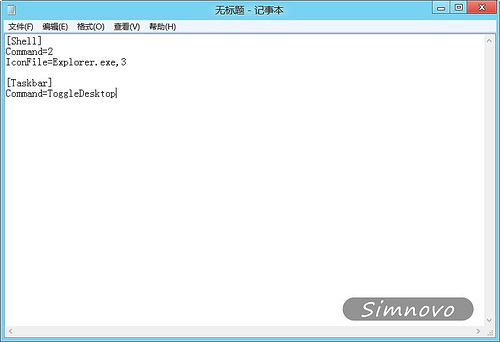
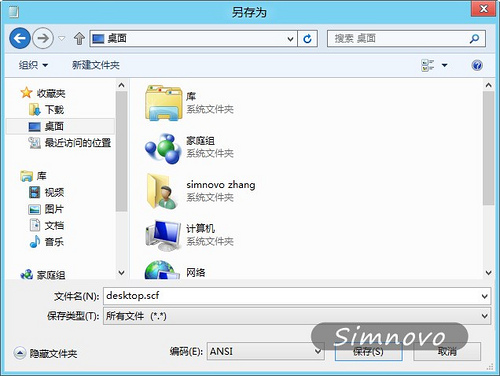
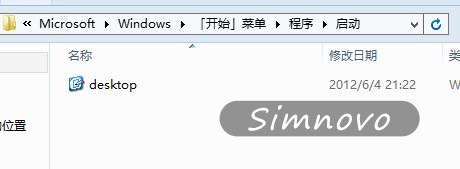
shell:startup 打开当前用户启动文件夹:C:\Users\<用户名>\AppData\Roaming\Microsoft\Windows\Start Menu\Programs\Startupdesktop.scf 复制/移动到此文件夹。