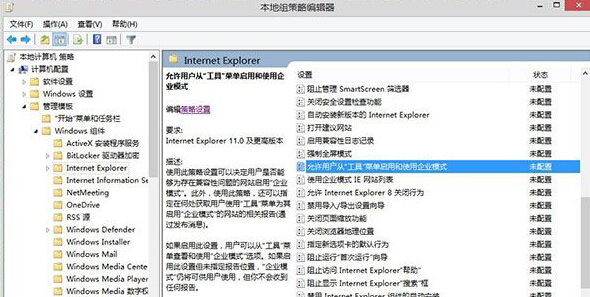
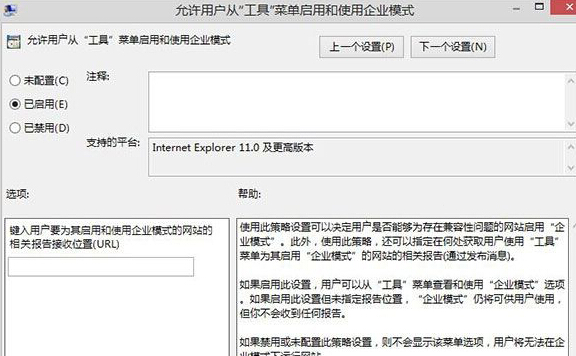
企業模式可讓 IE11 以 IE8/IE7 文件模式轉譯舊版網頁,解決企業內部系統相容性問題。透過群組原則啟用後,使用者可在「工具」選單手動切換。
gpedit.msc
設定生效後,開啟 IE11,按 Alt 顯示選單列,點擊 工具 → 企業模式 即可為目前網站啟用相容性檢視。
Win8 磚塊快取洩露隱私?啟用「登出時清除磚塊通知與歷程記錄」保護 QQ/郵件內容
Win8 開網頁慢?同 QOS 80% 預留頻寬問題,降為 20% 實測改善
Win8 裝哪個防毒軟體好?MSE、Avast、免費/付費方案比較
Windows 8 設定多螢幕擴充顯示四步驟快速上手
Win 8 桌面圖示無法拖曳?快速修復方法
聯想 Y400/Y500 Win8 無線網路受限修復指南
Win8 資源回收筒無法清空刪除?五種進階清理方案徹底解決
微軟面向 MSDNAA 提供 Windows 8 開發者預覽版:學生免費體驗