Windows XP Windows 7 Windows 2003 Windows Vista Windows 綜合教學 Linux 系統教學
Windows 10 Windows 8 Windows 2008 Windows NT Windows Server 電腦軟體教學

Win8 內建特殊版 Flash Player 完整解析:控制台不可見、雙版 IE 差異、Windows Update 統一更新、Server 2012 啟用法

編輯:Windows 8 系統介紹

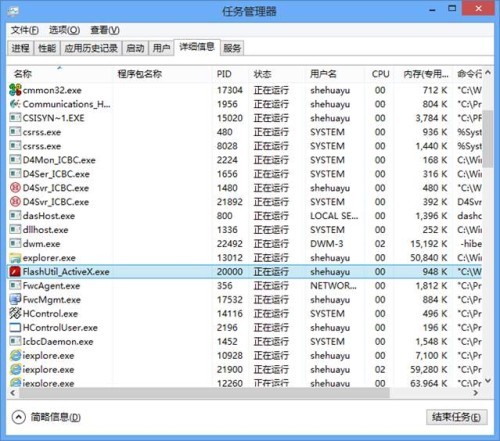
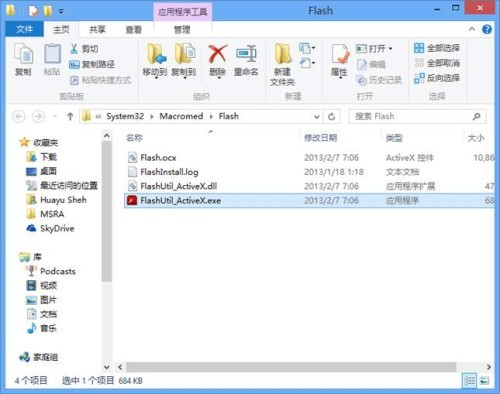
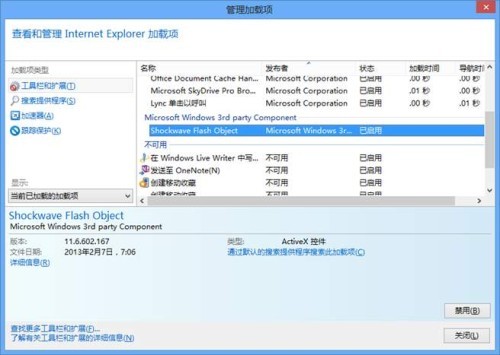
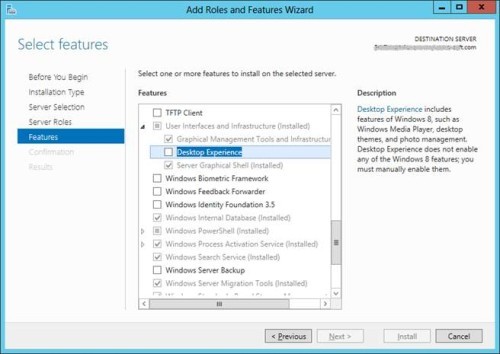
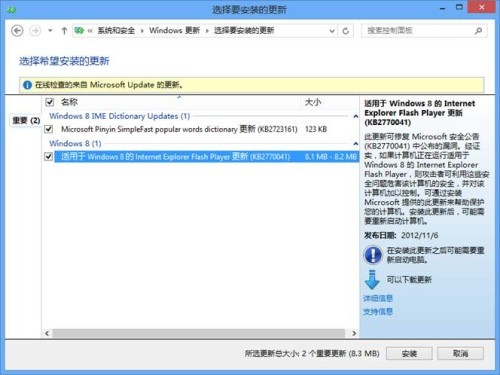
Win8 內建特製版 Flash Player,非一般預裝概念:控制台「程式和功能」無卸載項 (僅有設定圖示);桌面 IE10 無限制使用,Metro IE10 僅白名單網站可用;更新完全由 Windows Update 推送 (微軟掌握原始碼);檔案位於 %SystemRoot%\System32\Macromed\Flash\FlashUtil_ActiveX.exe;管理啟用/禁用需透過 IE 附加元件管理。問題時需重裝 IE10 (「啟用或關閉 Windows 功能」關閉再開啟) 或執行 DISM /online /Cleanup-Image /RestoreHealth + SFC /scannow 修復系統組件。Server 2012 同樣內建但預設停用,需安裝「使用者介面與基礎結構」→「桌面體驗」功能啟用。
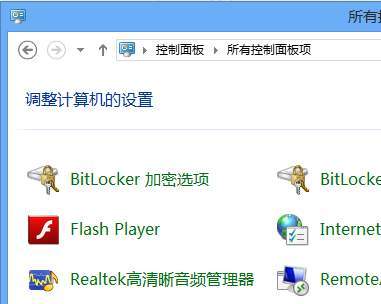
控制台 Flash Player 設定圖示

Windows Update 推送 Flash 更新

任務管理員 FlashUtil_ActiveX 進程

Flash 檔案位置 System32 Macromed Flash

IE 附加元件管理 Flash

Server 2012 安裝桌面體驗啟用 Flash

Copyright © Windows教程網 All Rights Reserved