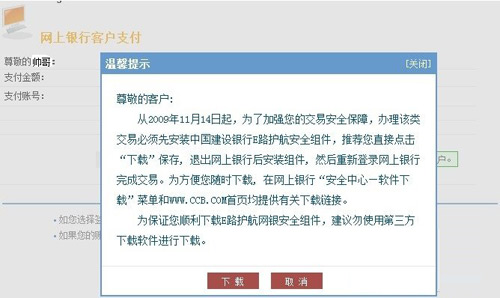
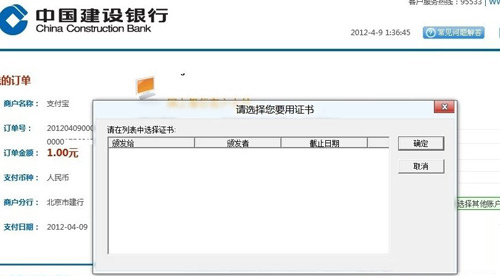
安裝建行「E路護航」後,Windows 7/XP 正常,但 Windows 8 無法彈出 U 盾或識別憑證。經檢測,為 wdkmgr.dll 檔案版本差異導致。
wdkmgr.dll
%SystemRoot%\System32\WatchData\Watchdata CCB CSP v3.2\wdkmgr.dll
若仍無法解決,建議聯繫建設銀行客服尋求協助。
Win8/8.1 關閉後台應用最快技巧:鼠標中鍵一鍵關閉
Windows 8 啟用 Aero 玻璃透明效果兩大神器:Aero8Tuner 與 bLend 實測比較
Windows 8.1 深度評測:微軟在觸控與桌面間搭建的橋梁,搜尋與 SkyDrive 成最大亮點
Windows 8 本地帳戶與 Microsoft 帳戶互相切換完整圖文教學
Win8 SkyDrive 上傳與建立文件完整教學
Win8.1 執行 gpedit.msc 無法開啟群組原則?兩種情況完整解析
Windows 8 將藍牙加入右鍵「傳送到」選單:建立 fsquirt.exe 捷徑放入 shell:sendto 資料夾
Windows 8 最新編譯版 8284 外洩:Consumer Preview 發布在即