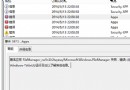
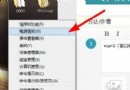
在安裝新驅動、修改登錄、執行系統優化工具前,建立還原點可提供回溯保障。Windows 8 建立還原點僅需三步驟,耗時約 1 分鐘。
提醒:系統保護需在系統磁碟啟用且保留足夠空間(建議 5-10%)。還原點不包含個人檔案,僅含系統設定、登錄、驅動程式、已安裝程式等系統狀態。
Windows 8 關閉自動磁碟重組排程:改為手動最佳化避免工作時效能下降
Win8 系統找不到 Wi-Fi 圖示?三招快速恢復無線網路連線
解決 Win 8 Chrome 瀏覽器當機問題 刪除登錄檔 Google 相關鍵值
Windows 8 磁碟使用率 100% 卡死?12 招精準解決方案
Win8 設定媒體串流功能完整教學
Win8/8.1語音辨識功能完整教學:啟用、訓練與十大語音指令操作
U 盘安装 Windows 8 双系统图文教程:UltraISO 写入 ISO、BIOS 设置 U 盘启动、Win7 分区共存
Windows 8 將應用程式、網站、資料夾固定到「開始畫面」完整指南