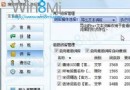
IdeaPad U310/U410/S300/S400 預裝聯想雲盾,控制台移除報錯「502 Bad Gateway」或失敗。官方提供「離線解除安裝工具」解決:
ATUninstaller.exe → 「以系統管理員身分執行」。無需網路連線,乾淨徹底移除頑固預裝軟體。
Windows 8 螢幕色彩校正完整教學:Gamma、亮度、對比、色彩平衡、ClearType 逐步調整
Windows 8 開啟 Hyper-V 建立虛擬機完整圖文教學:系統需求、啟用步驟、虛擬交換機、安裝作業系統
Windows 8 操作五大入门技巧:锁屏、Metro主屏、开始菜单、搜索运行、任务切换
Windows 8.1 顯示卡驅動程式更新完整指南:官網與工具法
Windows 8 應用商店將基於 Silverlight:Mosh 介面、AppX 封裝格式
Win8 行動寬帶裝置解鎖/解除封鎖:PIN 碼與 PUK 碼操作指南