Windows 8.1 內建 recimg.exe 命令列工具,可建立包含已安裝桌面應用程式、系統設定的自訂復原映像,重置電腦時保留個人檔案與 Windows 應用商店應用。
mkdir D:\RefreshImage
recimg /createimage D:\RefreshImage
CustomRefresh.wim,並自動設為作用中復原映像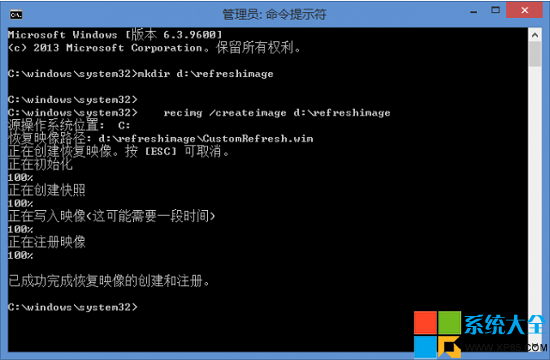
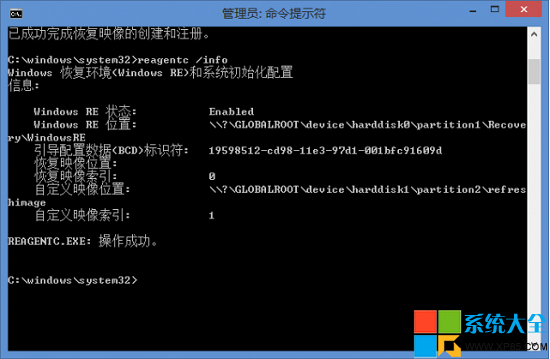
| 指令 | 說明 |
|---|---|
reagentc /info | 查看 Windows RE 狀態與復原映像配置 |
recimg /showcurrent | 顯示目前作用中復原映像路徑 |
recimg /deregister D:\Path\CustomRefresh.wim | 取消註冊指定映像 |
recimg /setcurrent D:\Path\CustomRefresh.wim | 設定指定映像為作用中 |
CustomRefresh.wim系統不穩定、病毒感染、驅動衝突、重大更新後異常時,可透過「設定」→「更新與復原」→「復原」→「重新整理電腦」使用自訂映像還原,保留個人資料的同時修復系統。