Windows 8.1 預設不在桌面顯示 IE 圖示,需手動建立捷徑。以下為標準建立流程。
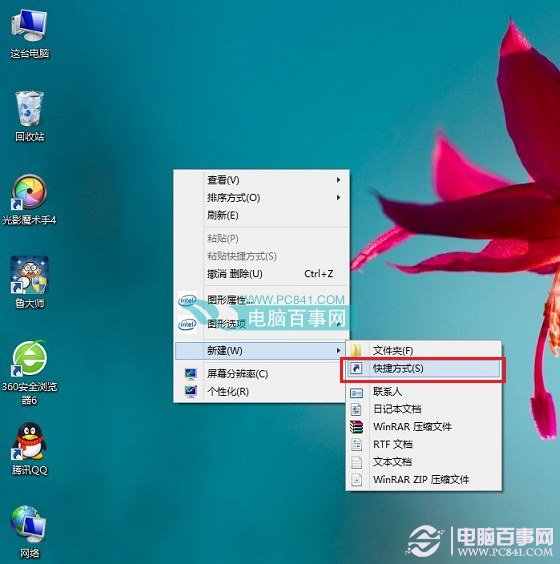
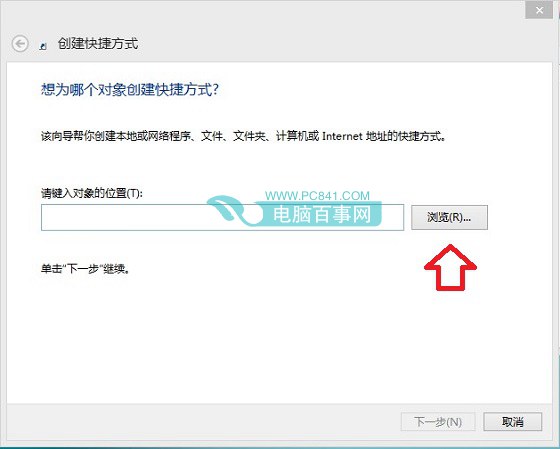
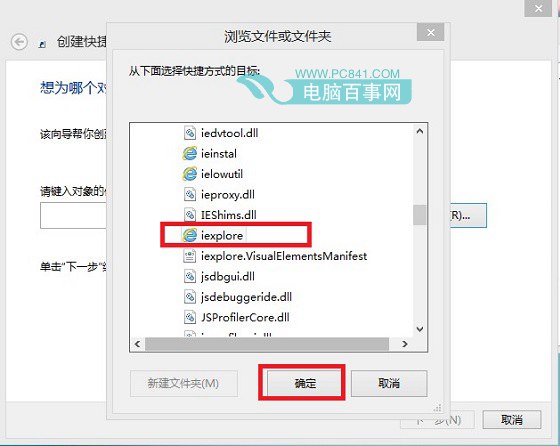
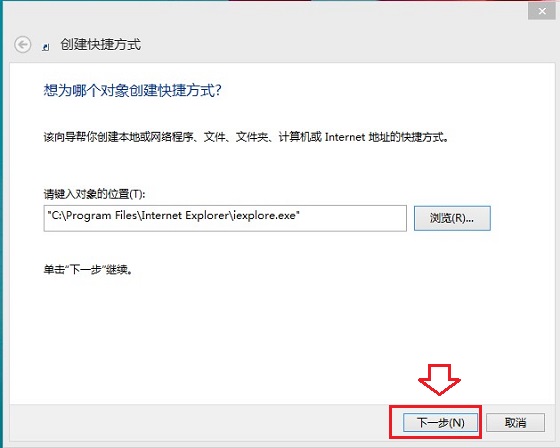
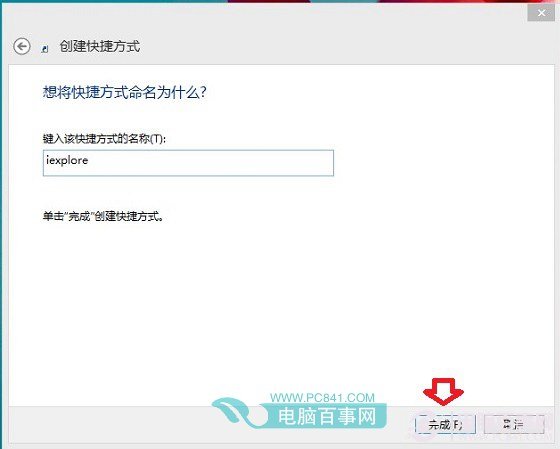
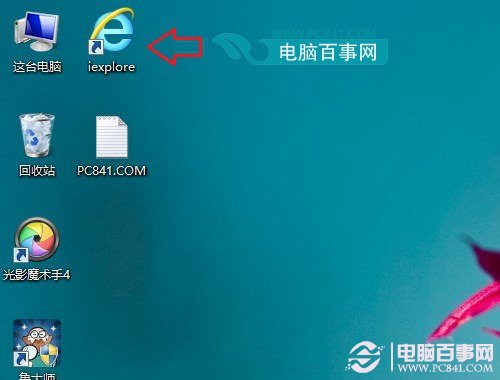
C:\Program Files\Internet Explorer → 可直接從工作列啟動。Windows 8 操作技巧 50 選(上):鎖屏、Metro 主畫面、搜尋、多工、關機、IE10、天氣、拼寫檢查、管理員權限、休眠、自動登入
Win8.1 查看已儲存 Wi-Fi 密碼兩大法:控制台 / 指令列
Windows 8 沒有失敗的五大理由:廣告砸錢、裝置爆量、企業 BYOD、時間換適應、專業版未發
BluePoison 2.1 解鎖 Windows 8 隱藏功能:Moonrea 媒體工具、開始選單主題與沉浸式介面控制
微軟全力開發 Windows 8 Beta:預計 2012 年 1 月 CES 大會發布
Windows 8「定向計算體驗」:免開機直播影片的沙盒新模式
Windows 8 同步助手無法開啟?手動安裝 .NET Framework 3.5 完整圖文教學
Windows 8 以系統管理員身分執行程式:傳統桌面右鍵、Modern 磚塊右鍵、搜尋右鍵、Ctrl+Shift+Enter 快捷鍵四大法