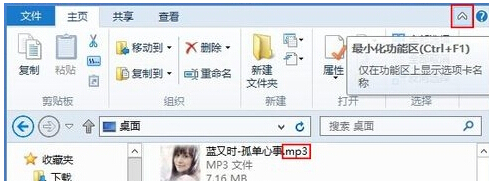
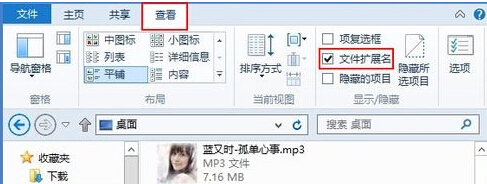
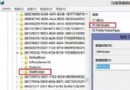
Windows 8 預設隱藏已知檔案類型的副檔名,透過檔案總管的「檢視」リボン (Ribbon) 介面可即時切換顯示狀態,無需進入控制台。
設定即時生效,適用於所有資料夾,方便辨識檔案真實類型,防止誤執行惡意程式 (如 photo.jpg.exe 偽裝成圖片)。
photo.jpg.exe
建設銀行網銀盾在 Windows 8 無法使用解決方案:替換 wdkmgr.dll 檔案
Windows 8 內建錄音機三種開啟方式:F3 搜尋、Win+R 指令、Metro 所有應用
Win8 系統還原設定教學:建立還原點、調整磁碟空間、一鍵回溯
Windows 8.1 預覽版無法解除安裝:官方說明與還原方案
Windows 8 視窗透明化 (Aero Glass) 還原法:高對比度主題 + 色彩視窗欺騙系統
Windows 8 停用自動安裝驅動程式設定教學
Windows 8 一鍵關閉所有 Modern UI 應用程式:建立 taskkill 批次捷徑,避免逐個手動下拉關閉
Win8 系統設定無線路由器圖文教學