系統還原能在誤刪檔案、程式損壞時將系統狀態回溯至先前還原點,避免重灌系統。Win8 設定路徑如下:
設定步驟
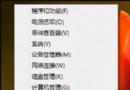
- 桌面「電腦」右鍵 →「內容」。
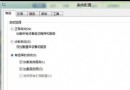
- 左側選擇「進階系統設定」→「系統保護」頁籤。
- 選取系統碟(通常為 C:)→「設定」。
- 勾選「開啟系統保護」,拖曳「最大使用量」滑桿(建議 5%~10%),確定。
- 回到「系統保護」頁籤,點選「建立」可立即手動建立還原點(輸入描述名稱)。
補充說明
- Win8 另提供「重新整理電腦」(保留個人檔案)與「移除所有內容並重新安裝 Windows」(完全清除)兩種重置選項,位於 Win+I →「變更電腦設定」→「一般」。
- 系統還原不備份已安裝程式,若需完整系統備份(含程式、設定),建議搭配第三方映像備份工具(如 Ghost、Macrium Reflect)。
妥善設定系統還原,關鍵時刻能救回系統,省去重灌之苦。