前言
Windows 8 繼承 Win7「固定到工作列」功能,但入口因 Modern 介面調整。本文說明從「所有應用程式」、「搜尋」、「桌面捷徑」三大來源固定程式到工作列,並說明 Windows Store 應用無法固定到工作列的限制。
方法一:從「所有應用程式」固定
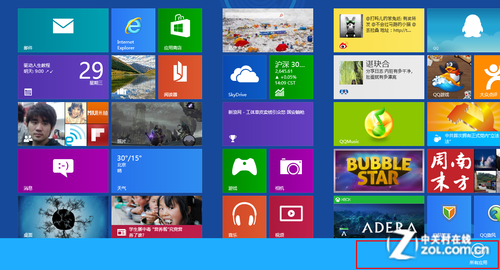
- 開始畫面右鍵空白處 (觸控從底緣上滑) →「所有應用程式」。
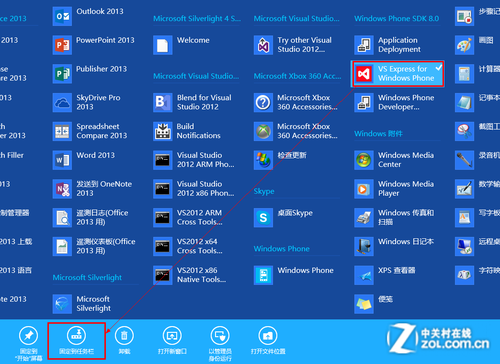
- 找到目標程式 (依字母排序) → 右鍵 (觸控長按下拉) → 底部應用列「固定到工作列」。
方法二:從搜尋固定
- 開始畫面直接輸入程式名稱 → 搜尋結果右鍵 →「固定到工作列」。
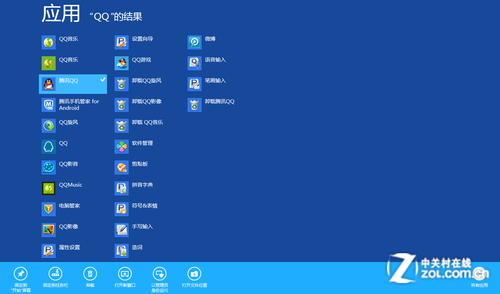
方法三:從桌面捷徑/檔案總管固定
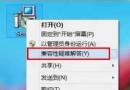
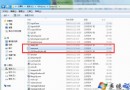
- 桌面捷徑或檔案總管中
.exe 右鍵 →「固定到工作列」。
重要限制
- Windows Store 應用 (Modern 應用) 無法固定到工作列,僅能固定到開始畫面。
- 傳統桌面程式 (Win32) 皆可固定。
取消固定
工作列圖示右鍵 →「從工作列取消固定」。