Win 7 整合通知區域圖示顯示模式,可自訂各圖示「顯示圖示與通知」、「僅在作用時顯示」或「隱藏」。但隨著軟體安裝移除,卸載軟體的圖示常殘留在自訂清單中,清單越來越長。可透過修改登錄清理。
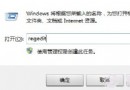
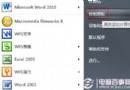
regedit 開啟登錄編輯器。HKEY_CLASSES_ROOT\Local Settings\Software\Microsoft\Windows\CurrentVersion\TrayNotifyIconStreams 與 PastIconsStreams 兩個鍵值(建議先右鍵匯出備份 TrayNotify 項)。explorer.exe 進程,再「檔案」→「新增工作」輸入 explorer 重啟。之後若再產生多餘圖示,只需重複結束並重啟 explorer.exe 即可。