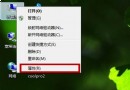
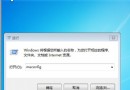
Win+R 輸入 netplwiz → 確定 → 取消勾選 要使用本機,用戶必須輸入用戶名和密碼 → 「套用」 → 輸入當前帳號密碼確認 → 確定。 下次開機直接進入桌面,無需輸入密碼。
netplwiz
PPS 廣告徹底屏蔽教學:刪除 adsys/banner/notice/Gmad 資料夾 + 拒絕權限/唯讀屬性雙重鎖死
Windows 7 Shift 鍵妙用大全:喚回傳統右鍵選單、拖曳以指定程式開啟檔案
Windows 7 滑鼠滾輪 6 大隱藏技巧:縮放網頁、自動捲動、背景開啟連結、關閉分頁、切換檢視、縮放圖示
深度體驗 Windows 7 安全性改進:UAC 進化、行動中心、新防火牆與部署實務
Win7 旗艦版打造動態視頻桌面:DreamScene 功能完整教學
打造個人化Win7媒體中心:MCE設定工具完整指南
聯想 Y580N Win7 播放音樂內建喇叭無聲?預設播放裝置設錯了
Win7 登錄檔調校 Aero Peek 延遲:縮短「顯示桌面」反應時間,追求極致跟手感