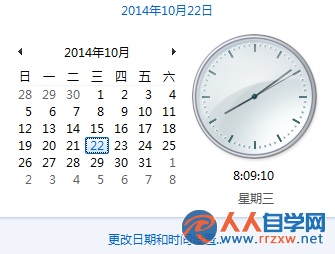
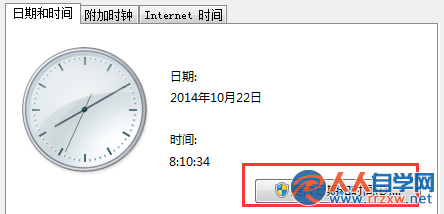
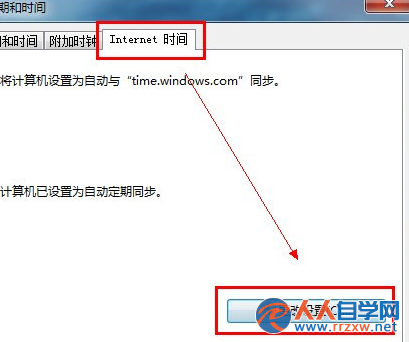
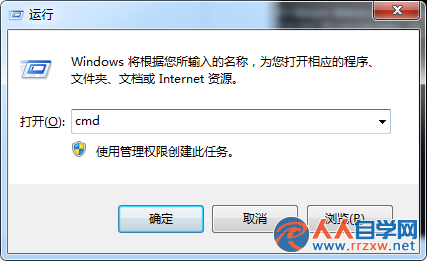
電腦時間不準導致遲到、排程錯誤?Win7 內建網路校時功能,啟用後會定期與 Microsoft 時間伺服器同步,確保時間精準。
time.windows.com
time.nist.gov
啟用後系統每 7 天自動同步一次,也可手動點選「立即更新」強制校時。若公司有內部 NTP 伺服器,可自行輸入伺服器位址。
Win7開機彈出「登錄組件錯誤4」?騰訊電腦管家 DLL 損壞修復全指南
Windows 7 直接查看已儲存無線網路密碼(明文顯示)
Win7 玩 DNF (地下城與勇士) 黑畫面怎麼辦?三大情境對應解法:全螢幕切窗、遊戲中隨機黑、進遊戲即黑
Win7 設定螢幕保護程式完整教學:個人化與控制台雙路徑
Win7 共享印表機存檔報錯 0x00000001?還原防火牆預設值即解
Win7 工作列變寬怎麼縮回去?解除鎖定拖曳調整高度
Win7 瀏覽器「Internet 選項」無法開啟的解決方案
Win7 解決 Apple Mobile Device 服務無法啟動的兩大方案(iTunes 裝置識別失效)