Apple Mobile Device 服務是 iTunes 識別 iPhone、iPad、iPod Touch 等 iOS 裝置的核心元件。服務啟動失敗會導致電腦無法偵測裝置。本文提供「重新啟動服務」與「重裝服務」兩套完整解決方案。
方案一:服務管理員中重新啟動
- 右鍵「電腦」→「管理」→ 左側展開「服務和應用程式」→「服務」。

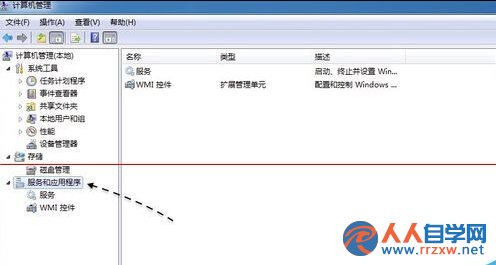
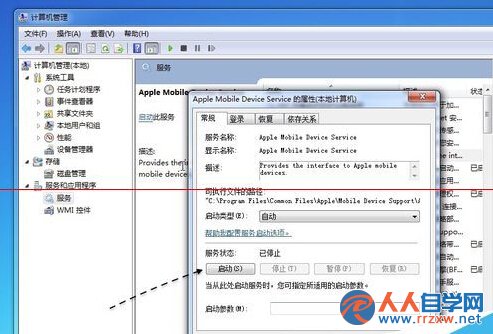
- 找到 Apple Mobile Device 服務,雙擊開啟屬性。
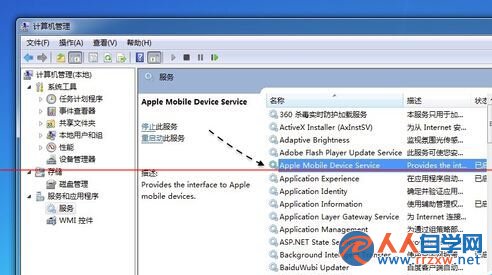
- 點擊「啟動」按鈕,若成功即解決問題。
方案二:重新安裝服務(徹底修復)
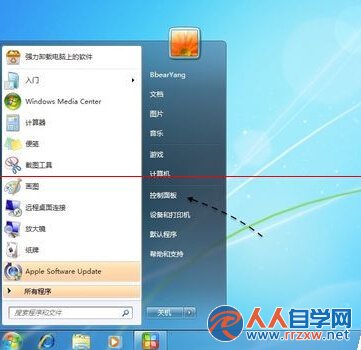
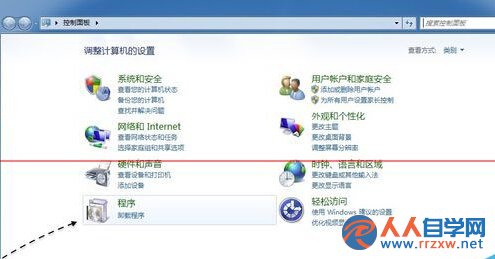
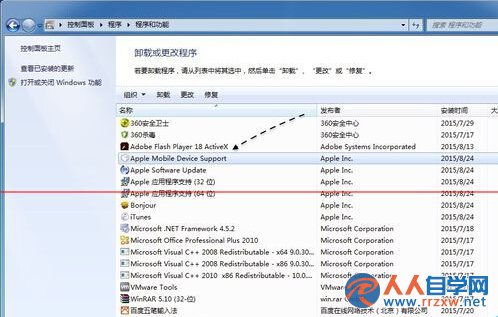
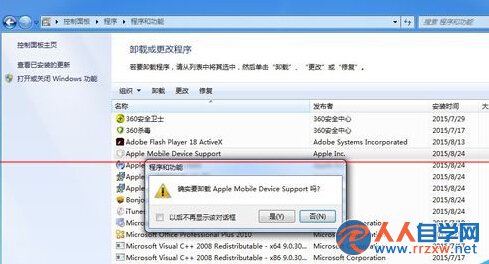
- 控制台 → 「程式和功能」→ 找到 Apple Mobile Device Support → 解除安裝。
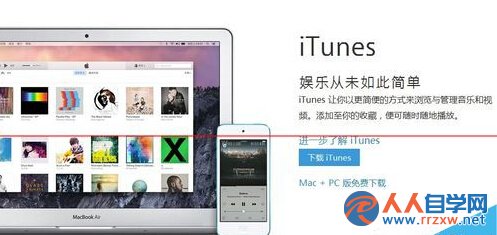
- 前往 蘋果官網 下載最新版 iTunes 安裝程式。
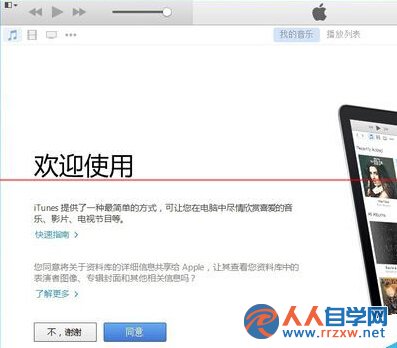
- 安裝 iTunes(會自動安裝 Apple Mobile Device 服務),完成後重新啟動電腦。
建議先嘗試方案一,若無效再執行方案二。操作前請確保iTunes 已關閉。