Windows XP Windows 7 Windows 2003 Windows Vista Windows 綜合教學 Linux 系統教學
Windows 10 Windows 8 Windows 2008 Windows NT Windows Server 電腦軟體教學

Windows 7 工作列與桌面自動重新整理?登錄檔一鍵停用

編輯:Win7 系統應用技巧

工作列圖示、桌面圖示頻繁自動重新整理 (閃爍),干擾操作。透過登錄檔修改 UpdateMode 強制改為手動重新整理模式,徹底解決。

修復步驟

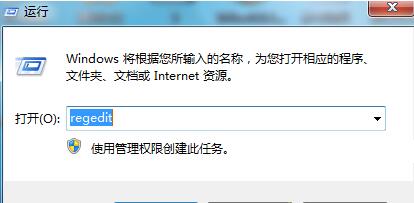
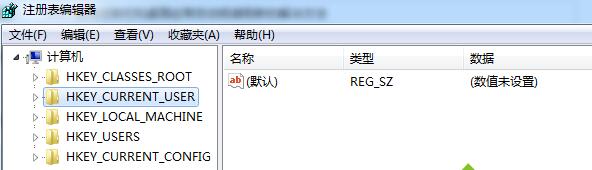
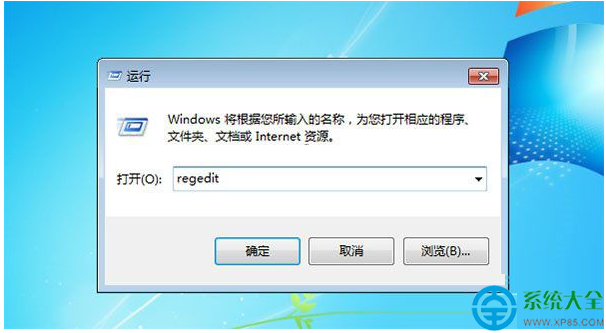
  1. 執行 regedit,瀏覽至:
    HKEY_LOCAL_MACHINE\SYSTEM\CurrentControlSet\Control\Update
  2. 右側找 UpdateMode (DWORD),雙擊將值從 0 (自動) 改為 1 (手動)。
  3. 若無此值,右鍵新增 DWORD (32 位元) 命名 UpdateMode,值設 1。
  4. 登出/重開機生效。

延伸:Windows 10 同樣問題

將下列內容存為 fix.reg 執行:

Windows Registry Editor Version 5.00
[HKEY_CLASSES_ROOT\exefile\shell\open\command]
@="\"%1\" %*"

原理為修復 exe 檔案關聯異常導致的 Explorer 持續重啟。雙系統用戶可分別套用對應修復。

Copyright © Windows教程網 All Rights Reserved