Windows XP Windows 7 Windows 2003 Windows Vista Windows 綜合教學 Linux 系統教學
Windows 10 Windows 8 Windows 2008 Windows NT Windows Server 電腦軟體教學

Excel 2007 長條圖套用圖案填充:PatternUI 增益集安裝教學

編輯:Win7 系統應用技巧

Excel 2007 預設長條圖僅支援純色/漸層填充,若需條紋、網格等圖案填充,需安裝官方增益集 PatternUI.xlam。

安裝步驟

  1. 搜尋下載 patternui.zip,解壓取得 PatternUI.xlam。
  2. 複製至 C:\Program Files\Microsoft Office\Office12\ADDINS (64 位 Office 路徑為 Program Files (x86))。

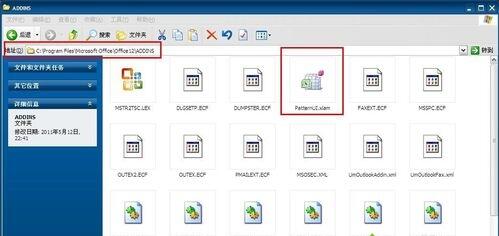
  3. 開啟 Excel 2007 → 雙擊該檔案載入增益集 (或「開發工具」→「增益集」→「瀏覽」選取)。
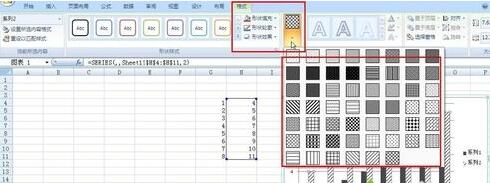
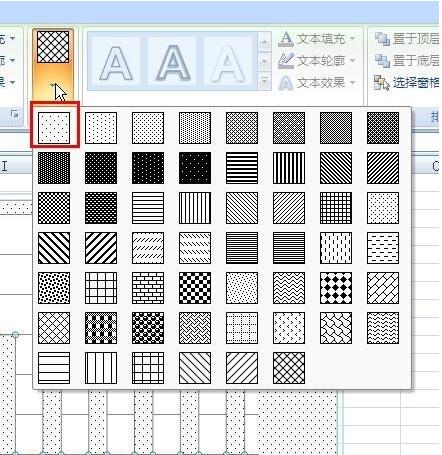
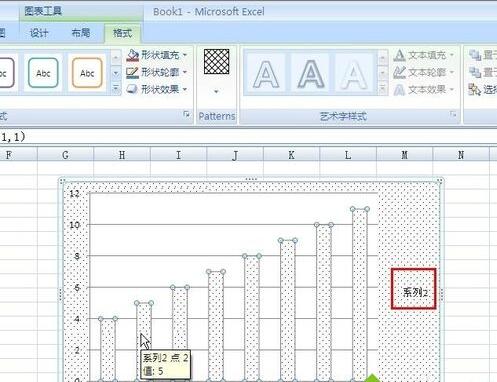
  4. 建立長條圖 → 右鍵資料系列 → 「設定資料系列格式」 → 「填充」→ 即可見「圖案」選項,挑選套用。

增益集載入後,所有長條圖、圓餅圖、面積圖均可使用豐富圖案填充,大幅提升圖表專業度與可讀性,適用於黑白列印報表。

Copyright © Windows教程網 All Rights Reserved