Windows XP Windows 7 Windows 2003 Windows Vista Windows 綜合教學 Linux 系統教學
Windows 10 Windows 8 Windows 2008 Windows NT Windows Server 電腦軟體教學

Win7 開不開 Word、跳錯誤報告?兩招修復 Normal 模板搞定

編輯:Win7 系統應用技巧

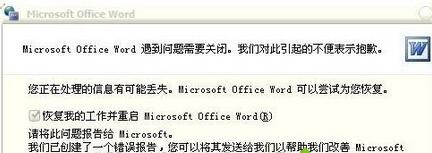
Word 開啟即彈出錯誤報告、無法正常使用,多半是 Normal.dotm 全域範本損壞。提供「刪除隱藏 Normal 檔」與「安全模式重建」兩大修復法。
方法一:刪除隱藏的 Normal 檔(標準解法)

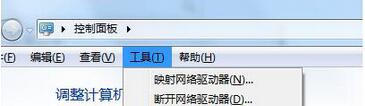
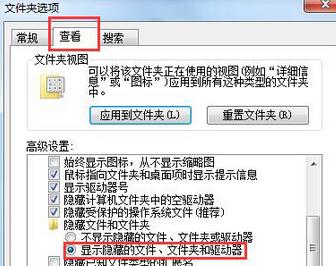
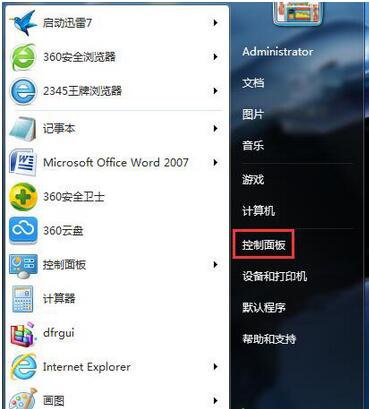
  1. 控制台 →「資料夾選項」→「檢視」→ 勾選「顯示隱藏的檔案、資料夾和磁碟機」。
  2. 位址列輸入 C:\Documents and Settings\Administrator\Application Data\Microsoft\Templates(Win7 實為 C:\Users\用戶名\AppData\Roaming\Microsoft\Templates)。
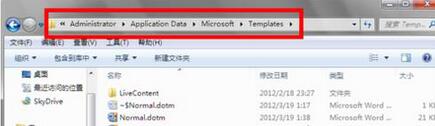
  3. 刪除所有 Normal 開頭的檔案(Normal.dotm 等),重開 Word 即自動重建乾淨範本。
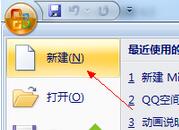
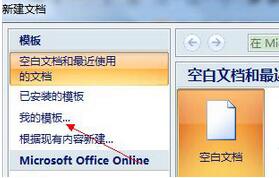
方法二:安全模式重建空白文件(備用)

  1. 錯誤報告視窗選「不傳送」,Word 以安全模式開啟。
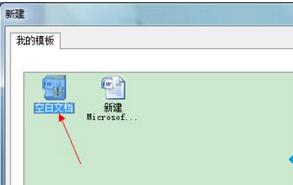
  2. 選單「檔案」→「新增」→「我的範本」→ 刪除「空白文件」→ 關閉 Word 重開。

方法一最徹底,建議優先使用。修復後 Word 即恢復正常啟動。

Copyright © Windows教程網 All Rights Reserved