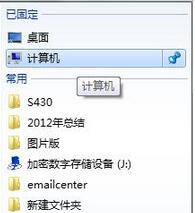
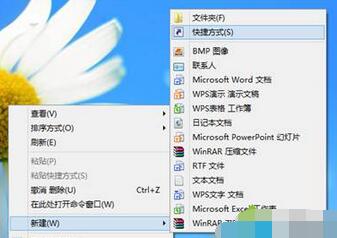
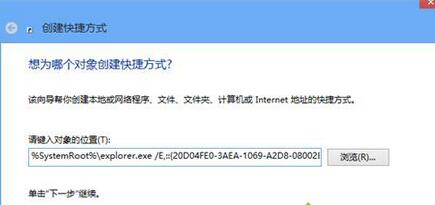
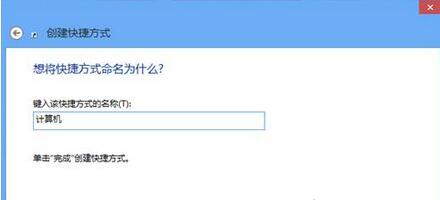
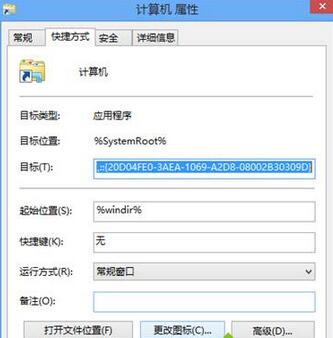
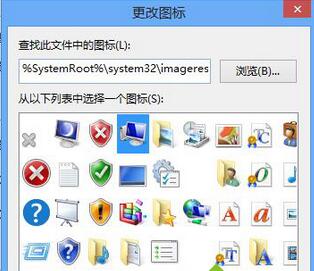
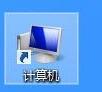
Win7 任務列預設無「電腦」圖示。教你用特殊 GUID 建立「電腦」捷徑、替換官方圖示、鎖定到任務列,一鍵開啟資源管理器。
%SystemRoot%\explorer.exe /e,::{20D04FE0-3AEA-1069-A2D8-08002B30309D}
%SystemRoot%\System32\imageres.dll
此捷徑直接開啟「電腦」視圖(等同 Win+E),比開啟資料夾再切換更快。
360 極速瀏覽器攔截彈出廣告:設定「廣告攔截」→開啟攔截提示一鍵淨化網頁
主機背板找不到獨顯接口?搞懂集顯、獨顯、筆電三種情況不再買錯
Win7 Excel 提示「stdole32.tlb 遺失或損毀」兩大修復方案
Win7 刪除使用者帳號完整教學:保留或移除個人檔案任你選
装完系统上不了网?网卡驱动离线安装与驱动精灵/驱动总裁救场指南
小學數學應用題:6 本作業本換 3 本筆記本,每本多少錢?
網銀轉賬給外國人,姓名怎麼輸入?按收款人銀行登記順序,通常為「名在前、姓在後」
Win7插入USB隨身碟提示「I/O裝置錯誤」解決法:重新指派磁碟機代號修復