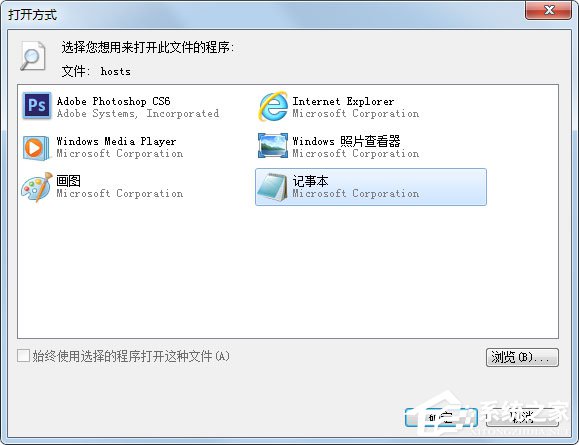
hosts 檔案 (C:\Windows\System32\drivers\etc\hosts) 是本機 DNS 解析對照表,常被惡意軟體、廣告軟體、駭客程式竄改導致:網站導向錯誤 IP、無法訪問特定網站、釣魚網站重導。定期檢查並還原預設內容是維護網路安全的基本功。本文提供定位、編輯、還原完整步驟。
C:\Windows\System32\drivers\etc\hosts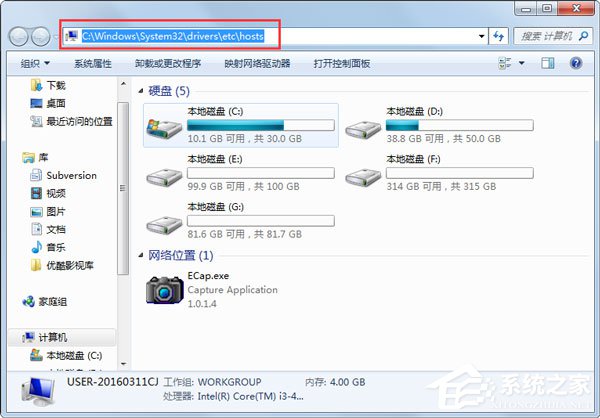
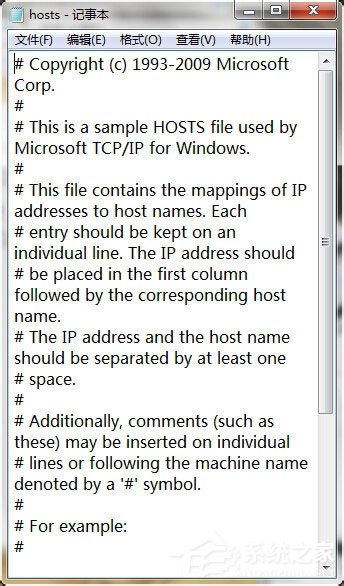
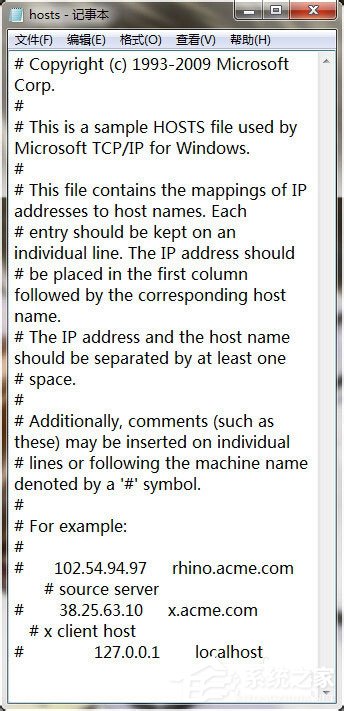
# 開頭),預設僅含:# Copyright (c) 1993-2006 Microsoft Corp.
#
# This is a sample HOSTS file used by Microsoft TCP/IP for Windows.
#
# This file contains the mappings of IP addresses to host names. Each
# entry should be kept on an individual line. The IP address should
# be placed in the first column followed by the corresponding host name.
# The IP address and the host name should be separated by at least one
# space.
#
# Additionally, comments (such as these) may be inserted on individual
# lines or following the machine name denoted by a '#' symbol.
#
# For example:
#
# 102.54.94.97 rhino.acme.com # source server
# 38.25.63.10 x.acme.com # x client host
# localhost name resolution is handled within DNS itself.
# 127.0.0.1 localhost
# ::1 localhost
127.0.0.1 www.google.com、0.0.0.0 activate.adobe.com 等),即為被竄改。| 模式 | 範例 | 目的 |
|---|---|---|
| 阻擋官方更新/驗證 | 0.0.0.0 activate.adobe.com127.0.0.1 validation.sls.microsoft.com | 破解軟體繞過授權驗證 |
| 導向釣魚/惡意站 | 192.168.1.100 www.bank.com | 竊取帳號密碼/植入惡意碼 |
| 阻擋廣告/追蹤 | 127.0.0.1 ads.googleanalytics.com | 某些去廣告軟體行為 (可保留) |
| 區域鎖定繞過 | 127.0.0.1 geo.drm.nintendo.com | 遊戲主機/服務區域限制繞過 |
Win7 hosts 檔案清理:定位路徑 → 記事本開啟 → 對照預設內容 → 移除異常對應行 → 管理員權限儲存。養成定期檢查習慣,配合防毒軟體與唯讀屬性,可有效防範惡意 DNS 劫持。
Win7 玩遊戲提示 xlive.dll 無效的 Windows 映像?下載 DLL + 註冊 + 放入系統目錄三步修復
Windows 7 垃圾檔案清理完全指南:資料夾與登錄檔雙管齊下
善用 Windows SteadyState 強化 XP 帳號管理:權限分級、硬碟保護、電腦限制三管齊下
Win7 本地連線 IPv4 無存取權限怎麼解決?IP 位址異常與路由器設定排查
Win10 連不上特定 WiFi?忘記密碼、驅動異常完整解決方案
Win7 自訂資料夾工具提示:建立 desktop.ini 設定 InfoTip 顯示自訂註釋