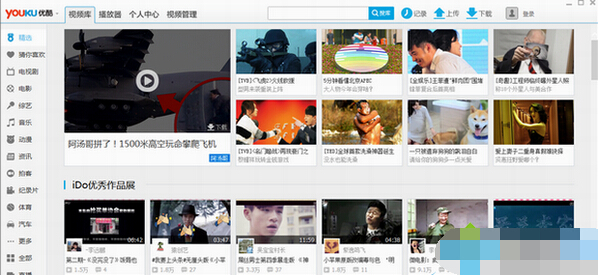
Win7 使用優酷播放器(網頁版/客戶端)遇到白畫面、聲音正常但無畫面,常見於瀏覽器快取過期、Flash Player 版本過舊、網路設定異常。三步驟排解:
方法一:清除瀏覽器 Cookies 與暫存檔
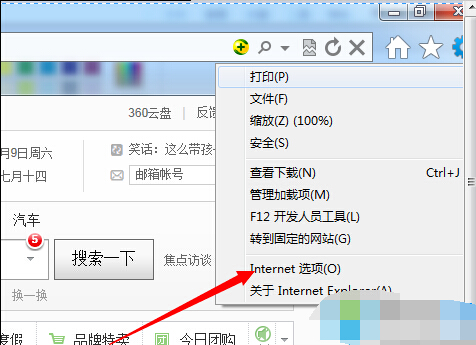
- IE/Edge:網際網路選項 → 一般 → 刪除 → 勾選「Cookies 及網站資料」、「暫存網際網路檔案」→ 刪除。
- Chrome:設定 → 隱私權與安全性 → 清除瀏覽資料。
方法二:掃毒與更新 Flash Player
- 執行全盤防毒掃描,排除惡意程式干擾。
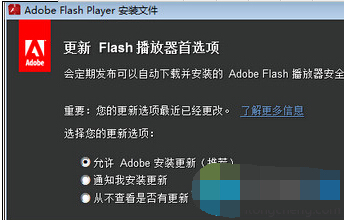
- 前往 Adobe 官網下載最新 Flash Player(若瀏覽器內建已棄用 Flash,優酷網頁版多已遷移至 HTML5,建議改用官方客戶端或 App)。
方法三:依優酷官方說明調整網路/Proxy 設定
參考優酷幫助中心「播放異常排查」,檢查 IE 連線設定 → 區域網路設定 → 取消「使用 Proxy 伺服器」或依企業網路需求正確配置。
提醒:Flash Player 已於 2020 年底停止支援,優酷網頁版建議改用 HTML5 播放器或官方桌面客戶端以獲得最佳相容性。