Windows XP Windows 7 Windows 2003 Windows Vista Windows 綜合教學 Linux 系統教學
Windows 10 Windows 8 Windows 2008 Windows NT Windows Server 電腦軟體教學

Win7 開啟檔案跳出「安全性警告」如何關閉?群組原則設定信任 .exe 執行

編輯:Win7 系統應用技巧

下載的安裝檔(.exe)每次開啟都彈出「安全性警告:發行者無法驗證」,若確定來源可信,可透過群組原則將 .exe 加入信任清單,停用提示:

操作步驟

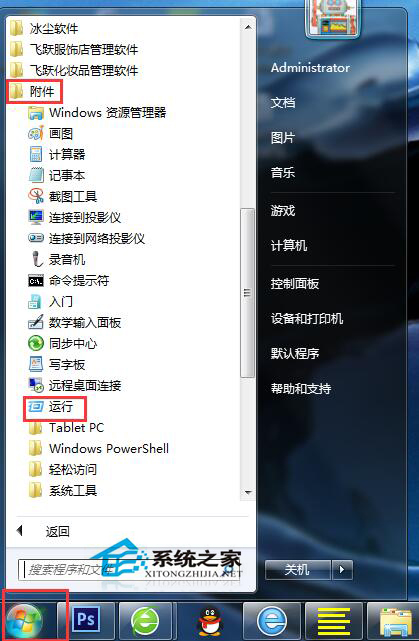
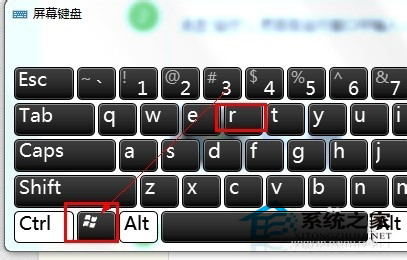
  1. Win + R → 輸入 gpedit.msc 開啟本機群組原則編輯器。
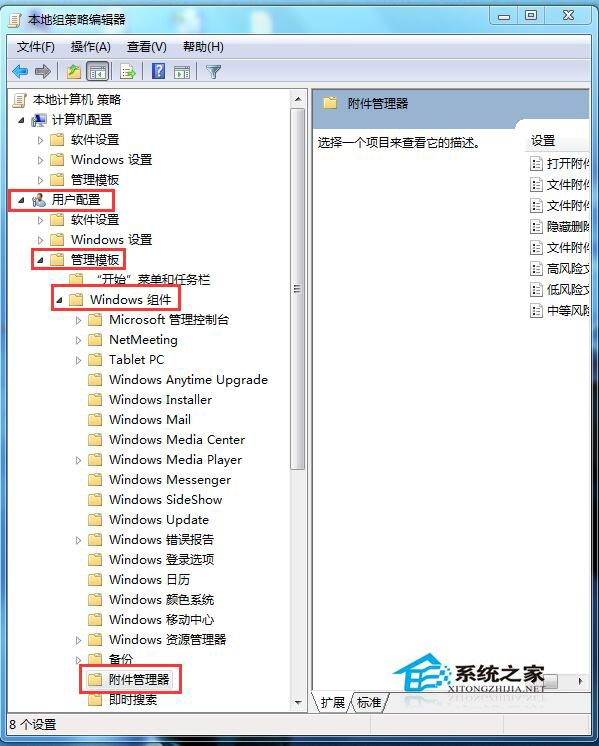
  2. 依序展開:使用者設定 → 系統管理範本 → Windows 元件 → 附件管理員。
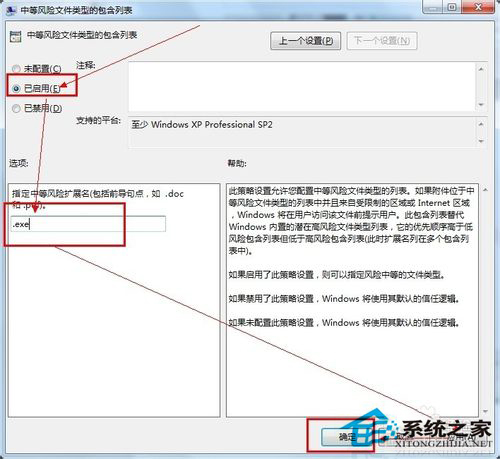
  3. 雙擊「不保留區域資訊的附件類型清單」→ 選「已啟用」 → 輸入 .exe → 套用/確定。
注意:此設定會降低未簽署執行檔的安全防護,建議僅在受控環境或確信檔案來源時啟用;Home 版 Windows 無群組原則,可改用註冊表 HKEY_CURRENT_USER\Software\Microsoft\Windows\CurrentVersion\Policies\Attachments\SaveZoneInformation 設為 1。

Copyright © Windows教程網 All Rights Reserved