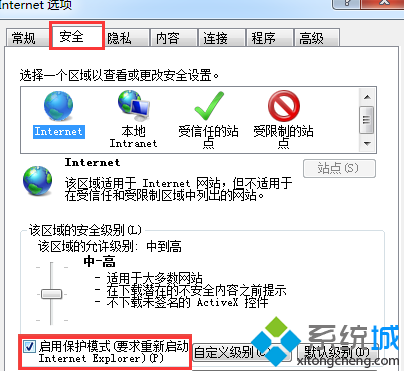
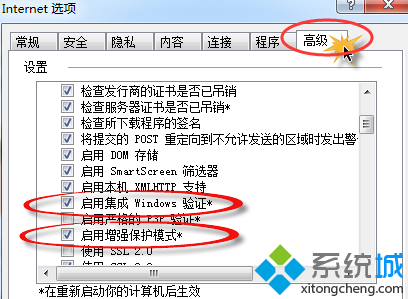
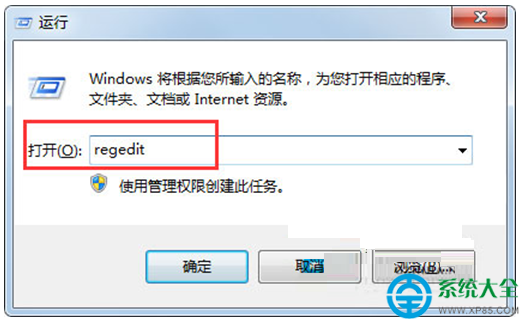
IE9 升級 IE11 後點擊圖示無反應/閃退,修復設定:
原因:升級過程可能重置安全區域設定,導致保護模式衝突。啟用增強保護模式 (EPM) 讓 IE11 在 AppContainer 沙箱中執行,相容性更佳。
建議:IE11 為 Win7 最高版本,微軟已停止支援,請改用 Edge/Chrome/Firefox 確保安全。
Win7 系統出現亂碼?三階段註冊檔修復法徹底解決字元顯示異常
如何計算電腦整機功耗?魯大師/包裝盒參數/實測三法對比
Win7 印表機驅動安裝失敗?解壓縮手動指定驅動資料夾解決無法識別問題
Win7 調制解調器錯誤 (錯誤 651/678/691) 完整排查:檢查線路、重建連線、替換 raspppoe.sys
Win7 訪問局域網共享提示「無權限使用網路資源」?刪除「拒絕從網路訪問」Guest 限制
Win7 資料夾假死/停止回應?啟用「在獨立程序中開啟資料夾視窗」隔離故障,提升穩定度
Win7 如何將「我的電腦」加到工作列?建立捷徑並鎖定完整教學
Win7 開啟 Word 跳出「發送錯誤報告」無法啟動?兩種修復 Normal.dotm 範本的方法