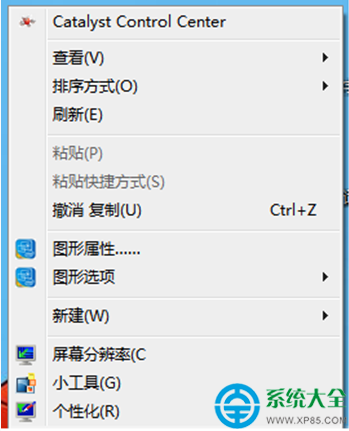
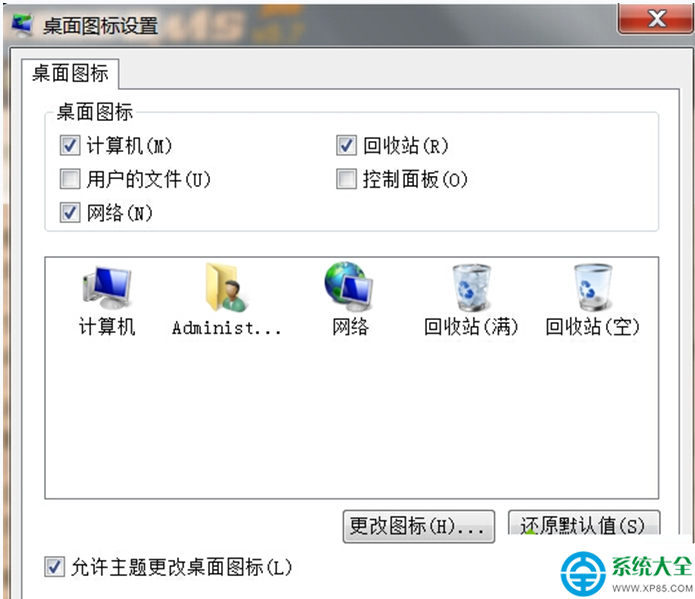
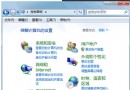
Windows 7 桌面預設不顯示「我的文件」(使用者的檔案)圖示,需在個人化設定中手動勾選顯示。操作簡單快速。
同樣方式也可勾選顯示「電腦」、「網路」、「控制台」、「回收資源桶」等系統圖示。
Win7 桌面建立一鍵休眠捷徑:3 步驟 + 快捷鍵 F12 真·秒睡
Win7 連網後變「多重網路」無法上網解決方法
Win7 開機報錯「cpu variable mtrr configure failed」?兩大主因與解決方案
Win7 關閉 Word 2007 停止運作?刪除 Normal.dotm 與登錄檔重置修復
記憶體升級只看 DDR 代數夠嗎?大神教你避開相容性地雷
Win7 加快系統搜尋速度:停用「搜尋其他檔案和程式庫」與優化索引選項
Windows 7 經典常見故障排除全攻略(一):軟體安裝失敗、捷徑圖示消失、頑固檔案刪除、遊戲黑邊
Win7 讓喇叭與耳機同時出聲?Realtek 音訊管理器設定「裝置進階設定」