Windows 7 引入 Aero Snap:將視窗拖曳至螢幕邊緣即自動最大化或佔半螢幕。雖方便,但常造成誤觸(如 QQ 視窗拖至邊緣隱藏時意外最大化)。若不需此功能,可依下列步驟停用:
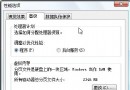
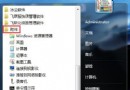
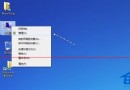
- 開啟「控制台」→「輕鬆存取」→「輕鬆存取中心」。
- 點選「讓滑鼠更容易使用」。
- 向下捲動至「讓視窗更容易管理」區塊。
- 勾選「防止視窗在移至螢幕邊緣時自動排列」(Prevent windows from being automatically arranged when moved to the edge of the screen)。
- 按「確定」套用設定。
設定完成後,拖曳視窗至螢幕邊緣將不再自動最大化或調整大小,操作更符合舊版 Windows 習慣。