執行舊版軟體(特別是 VC++ 5.0/6.0 時代程式)時彈出「找不到 Msvcp50.dll」,屬於 Microsoft Visual C++ 5.0 執行階段庫缺失。補齊對應版本 DLL 並註冊即可。
C:\Windows\System32)。C:\Windows\System32),同時 放一份 32 位元版到 C:\Windows\SysWOW64。regsvr32 C:\Windows\System32\Msvcp50.dllregsvr32 C:\Windows\SysWOW64\Msvcp50.dll

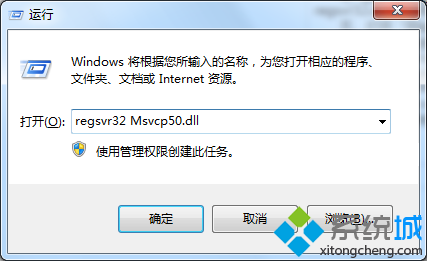
@echo off
echo 開始註冊
copy msvcp50.dll %windir%\system32
regsvr32 %windir%\system32\msvcp50.dll /s
echo msvcp50.dll 註冊成功
pause
64 位元系統若註冊 32 位元 DLL,將 system32 改為 SysWOW64。
| 版本號開頭 | 所屬作業系統 |
|---|---|
| 5.0 / 含 nt | Windows 2000 |
| 5.1 / 含 xp, xpsp1-3 | Windows XP |
| 6.0 / 含 longhorn, vista | Windows Vista |
| 6.1 / 含 Win7 | Windows 7 |
| 6.2 / 含 Win8 | Windows 8 |
| 10.0 | Windows 10/11 |