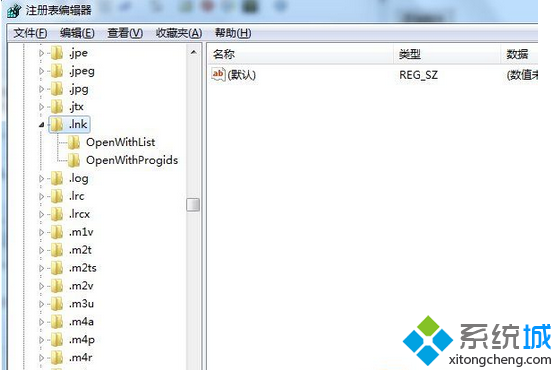
桌面所有捷徑圖示突然變成 Windows Media Player 圖示,雙擊皆開啟播放器,經典的 .lnk 檔案關聯損毀。透過登錄編輯器修復 HKEY_CURRENT_USER\Software\Microsoft\Windows\CurrentVersion\Explorer\FileExts\.lnk 分支即可恢復。
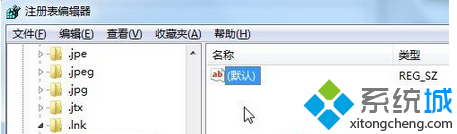
regedit。HKEY_CURRENT_USER\SOFTWARE\MICROSOFT\WINDOWS\CURRENTVERSION\EXPLORER\FILEEXTS\.LNK.lnk,僅保留兩個子鍵:OpenWithList、OpenWithProgidsOpenWithList,右側僅保留 (預設) 值,其餘刪除。OpenWithProgids,右側僅保留 (預設) 與 lnkfile,其餘刪除。explorer.exe 生效。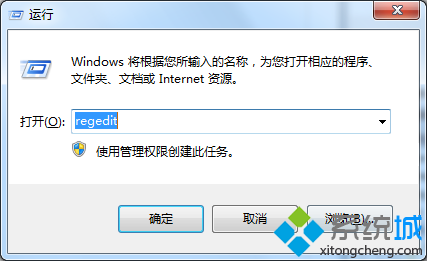

Windows Registry Editor Version 5.00

[-HKEY_CURRENT_USER\Software\Microsoft\Windows\CurrentVersion\Explorer\FileExts\.lnk\OpenWithList]
[-HKEY_CURRENT_USER\Software\Microsoft\Windows\CurrentVersion\Explorer\FileExts\.lnk\OpenWithProgids]

[HKEY_CURRENT_USER\Software\Microsoft\Windows\CurrentVersion\Explorer\FileExts\.lnk\OpenWithList]
@=""

[HKEY_CURRENT_USER\Software\Microsoft\Windows\CurrentVersion\Explorer\FileExts\.lnk\OpenWithProgids]
"lnkfile"=hex(0):
另存為 FixLnkAssociation.reg 雙擊匯入即可。
HKEY_CURRENT_USER\Software\Microsoft\Windows\CurrentVersion\Explorer\FileExts 分支。.exe、.bat、.url 等關聯損毀,對應鍵路徑略有不同。