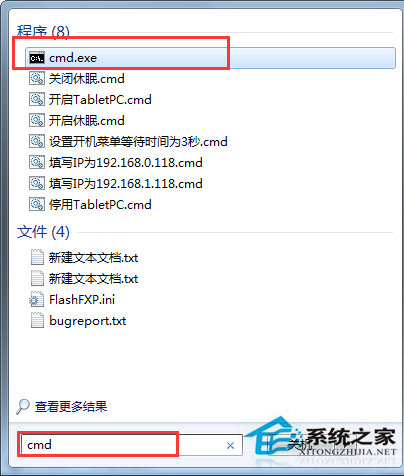
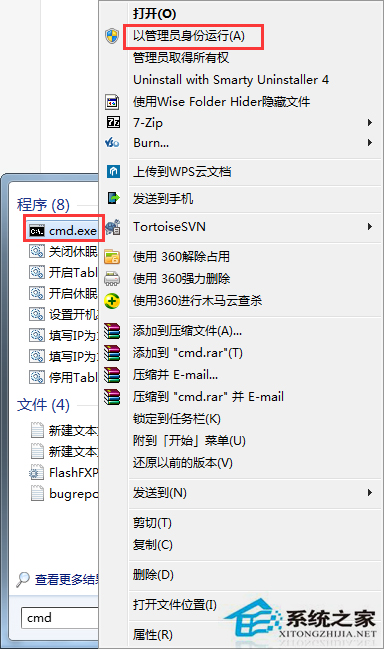
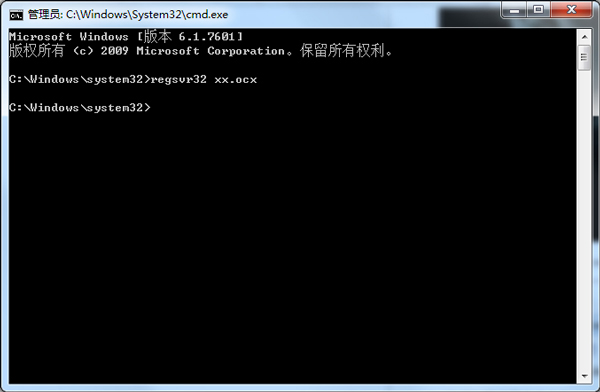
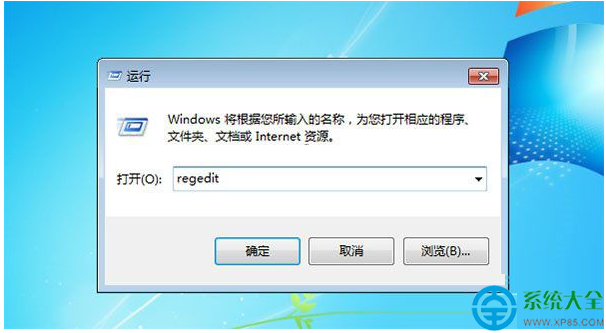
註冊 OCX 元件出現 0x80040200 錯誤,通常是權限不足。以系統管理員身分開啟命令提示字元執行 regsvr32 即可成功註冊。
0x80040200
regsvr32
cmd
regsvr32 檔案名.ocx
此法適用於所有需註冊 ActiveX/OCX 元件的開發與執行環境。
易廚電磁爐 C16A 開機 10 秒自動關機?兩大核心原因與對策
Win7 旗艦版無法錄音?啟用「立體聲混音」並設為預設錄音裝置
Win7 遠端桌面連不上?五步標準設定 + 進階防火牆/服務排查
Windows 7 記憶體檢測工具 Memtest86+ 使用教學:多核心並行加速測試
Win7 如何設定預設瀏覽器?三大管道完整設定教學
Win7 開機桌面圖示載入緩慢?調大圖示快取上限加速顯示
Windows 7 隱藏個人檔案 7 步驟完整教學:從屬性設定到資料夾選項雙重保護
Win7 關閉網路磁碟機對應功能:三種斷開連線方法