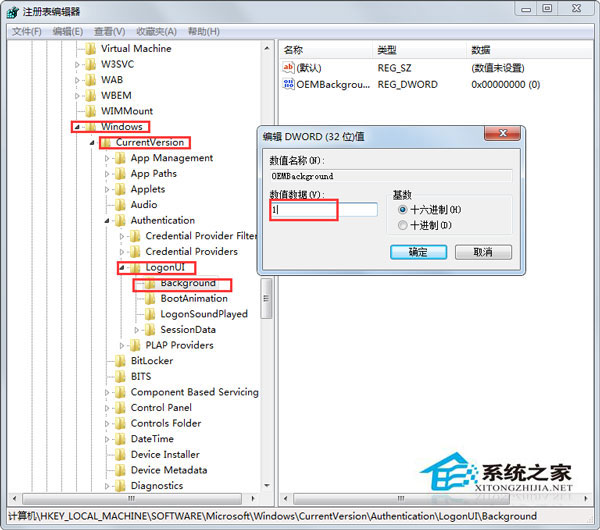
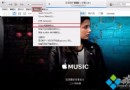
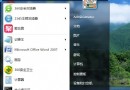
Win7 關機/登入背景可自訂,透過登錄啟用 OEM 背景機制並放入指定命名圖片即可。
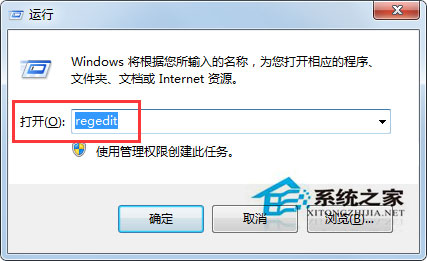
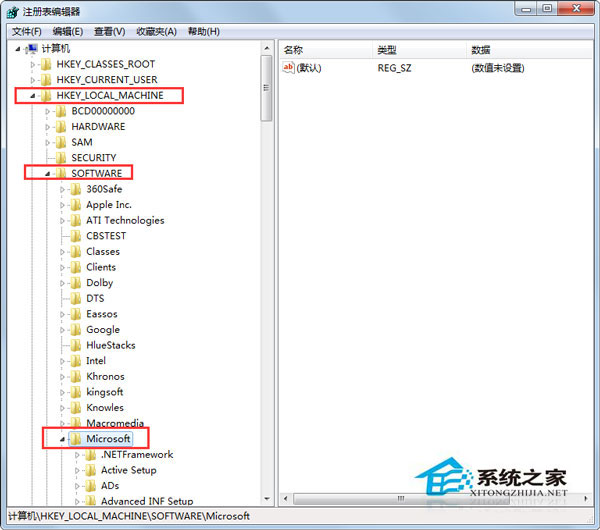
regedit → 瀏覽 HKEY_LOCAL_MACHINE\SOFTWARE\Microsoft\Windows\CurrentVersion\Authentication\LogonUI\Background。
HKEY_LOCAL_MACHINE\SOFTWARE\Microsoft\Windows\CurrentVersion\Authentication\LogonUI\Background
C:\Windows\System32\oobe\info\backgrounds
圖片必須為 JPG 格式、檔名固定、解析度匹配,否則系統將忽略並使用預設背景。
Win7 Safari 瀏覽器無法開啟網頁解決:DNS 設定修正、快取清除、代理伺服器停用
Win7禁用Remote Registry远程注册表服务提升安全与性能
Win7 系統怎麼快速搜尋檔案?善用檔案大小篩選器精準定位
Win7 內建 ping 指令測網速、查網線穩定度:無需第三方軟體
Win7 如何變更暫存檔資料夾位置?環境變數修改教學(含使用者與系統變數)
Win7 如何更改電腦 IP 位址?手動設定固定 IP 完整圖解
Win7 BIOS 更新完整圖文教學:從確認主板型號到刷新驗證
微軟堅持創新:Win8 打造全新 Metro 風格手寫輸入體驗