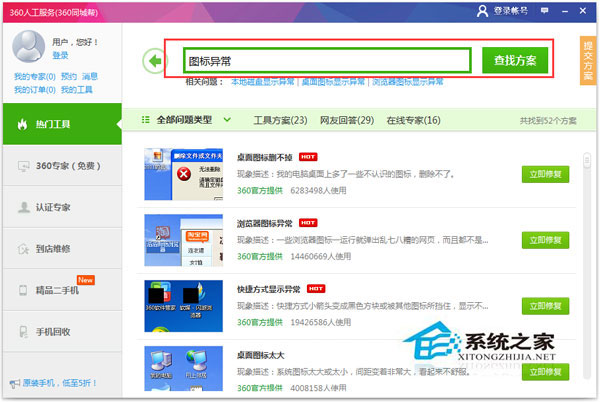
桌面圖示變白、錯位、顯示錯誤圖示,通常為圖示快取損毀或惡意軟體破壞。裝有 360 者可一鍵修復:
若無 360,可嘗試:Win+R → ie4uinit.exe -show 重建圖示快取、或刪除 %LocalAppData%\IconCache.db 重開機。
ie4uinit.exe -show
%LocalAppData%\IconCache.db
我的電腦適合裝 Windows 10 哪個版本?家用選專業版,企業選企業版 LTSC,舊機考慮 Win7/Linux
Win7 隱藏「Windows 體驗指數」分數?重命名 Performance 資料夾一招搞定
Win7寬帶撥號報錯 815(遠端電腦無回應)?七大排查步驟一次搞定
Win7 系統還原功能實戰:啟用保護、建立還原點、還原檔案版本、找回遺失資料
Win7 刪除桌面 IE 圖示失效?修改登錄表 Desktop NameSpace 移除
電腦鍵盤彈琴樂譜哪裡買?專業琴行或按型號搜尋電子版
Win 7 光碟機消失/黃色驚嘆號代碼 52?兩大註冊表修法 + bcdedit 徹底解決
Win7 相容性檢查工具雙引擎:相容性疑難解答自助修復、相容性補丁匯入解決舊軟體問題