Windows XP Windows 7 Windows 2003 Windows Vista Windows 綜合教學 Linux 系統教學
Windows 10 Windows 8 Windows 2008 Windows NT Windows Server 電腦軟體教學

Win7 開機桌面消失出現「還原 Active Desktop」解決法:修改登錄 AutoRestartShell

編輯:Win7 系統應用技巧

開機發現桌面背景消失,出現「還原 Active Desktop」提示,點選可能無效或報錯。主因:桌面背景格式不支援、非正常關機導致 Active Desktop 元件異常。修改登錄 AutoRestartShell 可強制恢復桌面渲染。
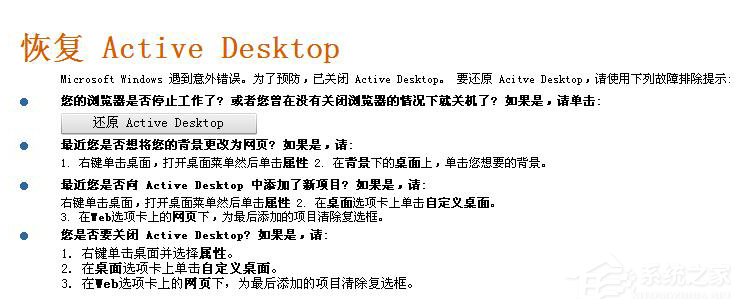
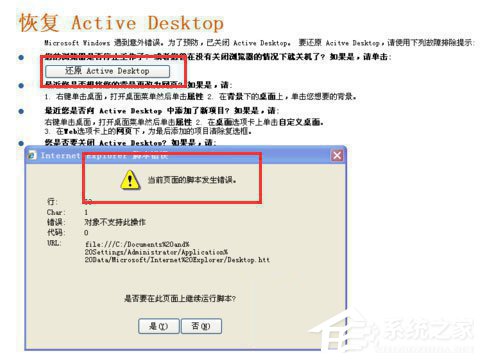
還原 Active Desktop 提示

快速嘗試

  1. 點選桌面上的「還原 Active Desktop」連結,若能恢復則無需進階操作。
  2. 若無效或報錯,執行下方登錄修復。

還原 Active Desktop 連結

登錄修復步驟

1. 開啟登錄編輯器

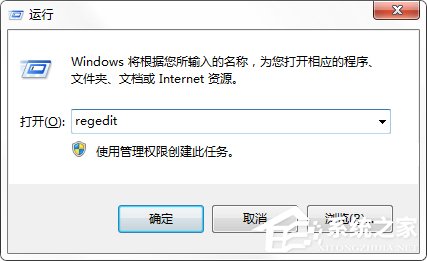
Win+R → regedit → 確定。

開啟 regedit

2. 定位路徑

展開:HKEY_LOCAL_MACHINE\SOFTWARE\Microsoft\Windows NT\CurrentVersion\Winlogon\AutoLogonChecked
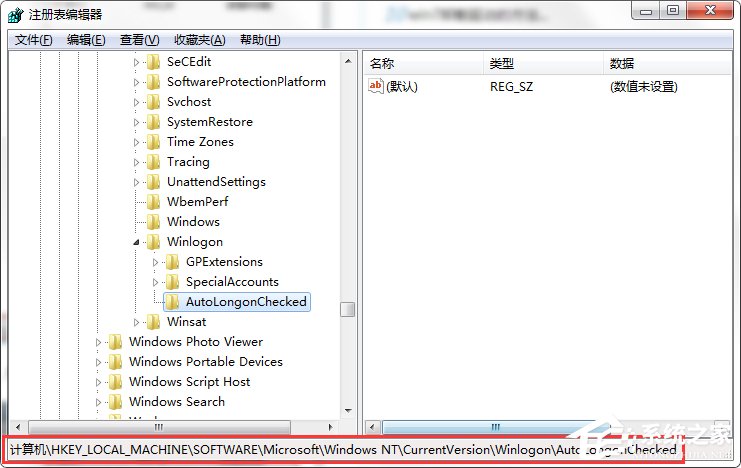
登錄路徑

3. 檢查/建立 AutoRestartShell

  • 右側若無 AutoRestartShell → 右鍵空白處 → 「新增」→ 「DWORD (32 位元) 值」→ 命名 AutoRestartShell。
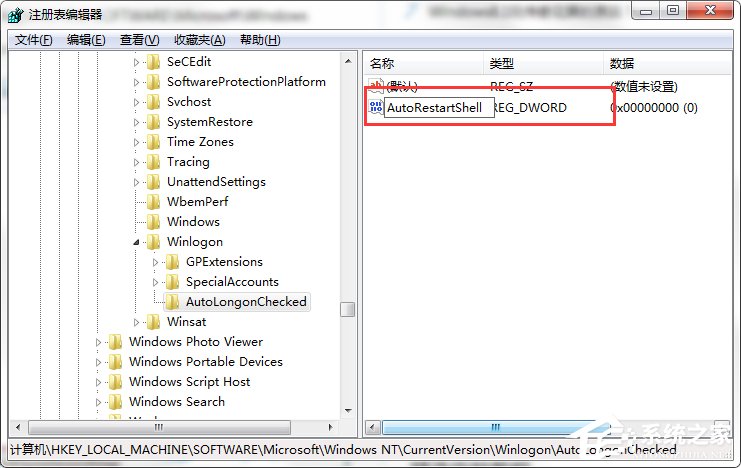
  • 若已存在,直接雙擊修改。

新增 DWORD 值

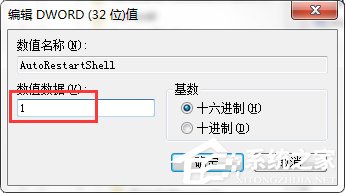
4. 設定數值為 1

數值資料輸入 1(十六進位/十進位皆可)→ 確定。

設定數值為 1

5. 重新開機驗證

重開機後桌面背景應正常顯示,不再出現「還原 Active Desktop」。

預防建議

  • 桌面背景建議使用 .jpg、.bmp、.png 標準格式,避免 .html、.htm 等 Active Desktop 格式。
  • 養成正常關機習慣,避免強制斷電導致系統元件異常。
  • 定期檢查磁碟錯誤(chkdsk /f),維護檔案系統完整性。
Copyright © Windows教程網 All Rights Reserved