Windows XP Windows 7 Windows 2003 Windows Vista Windows 綜合教學 Linux 系統教學
Windows 10 Windows 8 Windows 2008 Windows NT Windows Server 電腦軟體教學

Win7 開機提示「便箋中繼資料損毀」修復:重新註冊 inkobj.dll

編輯:Windows 7 系統介紹

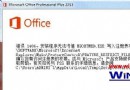
開機彈出「部分便箋的中繼資料已損毀」,主因是系統檔案 inkobj.dll 遺失或未正確註冊。補回檔案並註冊即可修復。

修復步驟

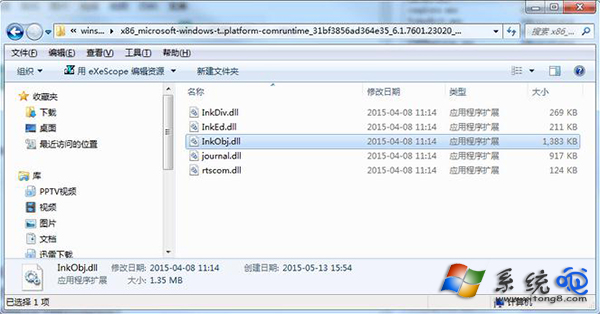
  1. 按 Win+F 搜尋 inkobj.dll,找到檔案位置(通常在 C:\Windows\System32\ 或 C:\Windows\winsxs\ 子目錄)。
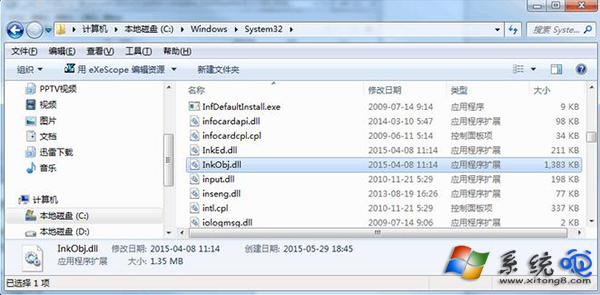
  2. 若系統目錄缺少,將找到的檔案複製至 C:\Windows\System32\。
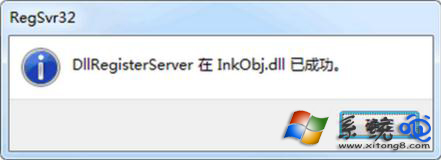
  3. 按 Win+R 輸入 regsvr32 inkobj.dll 按 Enter 註冊,提示成功即可。
  4. 驗證:Win+R 輸入 stikynot 啟動便箋,確認正常運作。

搜尋 inkobj.dll

複製至 System32

註冊成功提示

補充說明

  • inkobj.dll 為 Windows Ink/手寫相關核心元件,便箋功能依賴它。
  • 若找不到檔案,可從同版本 Win7 安裝光碟 install.wim 提取,或從其他正常電腦複製。
  • 註冊需以管理員身分執行 CMD 或「執行」視窗。

簡單三步驟,徹底解決便箋中繼資料損毀煩惱。

Copyright © Windows教程網 All Rights Reserved