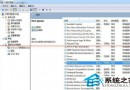
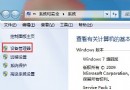
按 Ctrl+Shift+Esc 或 Ctrl+Alt+Del 沒反應、彈出「系統管理員已停用工作管理員」?常見原因:惡意軟體修改群組原則/登錄、誤用優化工具關閉、病毒感染。以下提供兩大修復方案,並建議先全盤掃毒。
gpedit.msc。regedit。HKEY_CURRENT_USER\Software\Microsoft\Windows\CurrentVersion\Policies\System1 表示停用。0 → 確定。DisableTaskMgr → 值 0。HKEY_LOCAL_MACHINE\SOFTWARE\Microsoft\Windows\CurrentVersion\Policies\System 下的同名值。Windows Registry Editor Version 5.00
[HKEY_CURRENT_USER\Software\Microsoft\Windows\CurrentVersion\Policies\System]
"DisableTaskMgr"=dword:00000000
[HKEY_LOCAL_MACHINE\SOFTWARE\Microsoft\Windows\CurrentVersion\Policies\System]
"DisableTaskMgr"=dword:00000000
explorer.exe。cmd → 在 CMD 中輸入 start explorer.exe。HKCU\Software\Microsoft\Windows\CurrentVersion\Policies\System 與 HKLM\...\Policies\System。