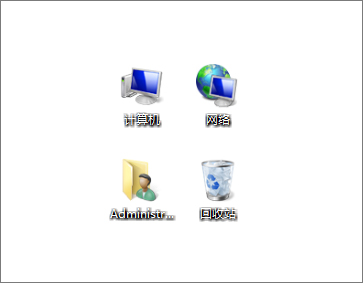
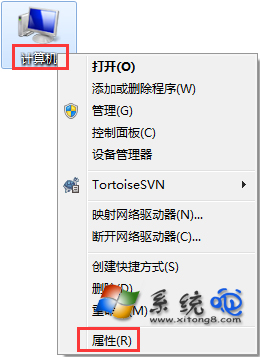
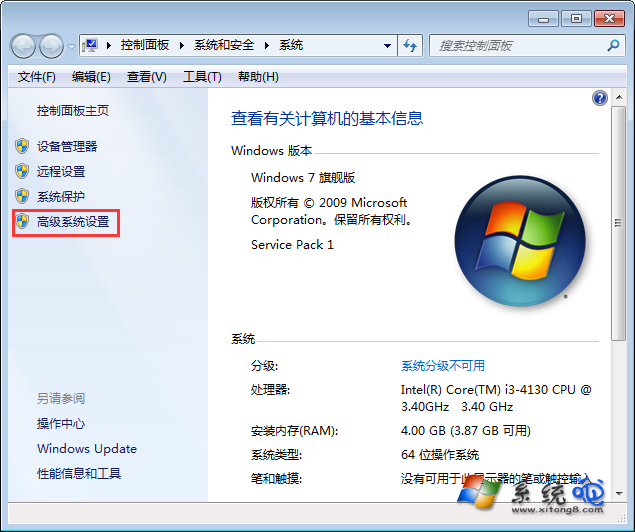
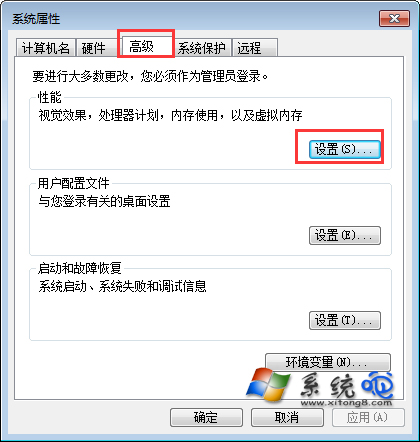
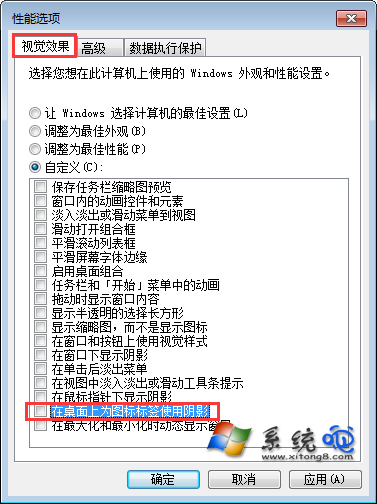
桌面圖示文字出現陰影/重影影響美觀,關閉方式:右鍵「電腦」→「內容」→「進階系統設定」→「進階」→「效能」設定 →「視覺效果」選「自訂」→ 捲動到底取消勾選「在桌面上為圖示標籤使用陰影」→ 確定套用,文字陰影即刻消失恢復乾淨白字。
此設定同步影響所有桌面圖示文字顯示效果。
Win7 沒聲音完整排除流程:硬體檢查、驅動更新、疑難解答、音訊裝置設定全攻略
Win7安裝Flash彈出「憑證驗證失敗」?刪除不受信任發行者即可解決
原版 Win7 U 盤安裝三法:老毛桃純 U 盤安裝、UltraISO 寫入、官方 Media Creation Tool
32 位元 Win7 強行識別 4GB 記憶體:ReadyFor 4GB 破解風險與替代方案
透過清理系統字型加速 Windows 7 開機速度
Windows 7 新功能深度體驗:Win RE 系統修復與遠端桌面安全強化
Windows 7 桌面背景無法更改三大解決方案
Windows 7 修改「我的文件」預設儲存位置:遷移至非系統磁碟