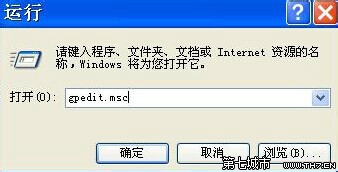
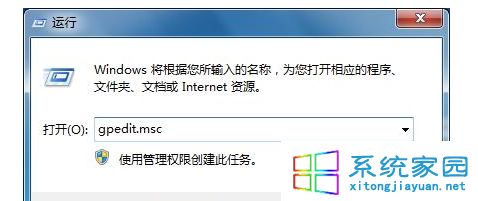
gpedit.msc
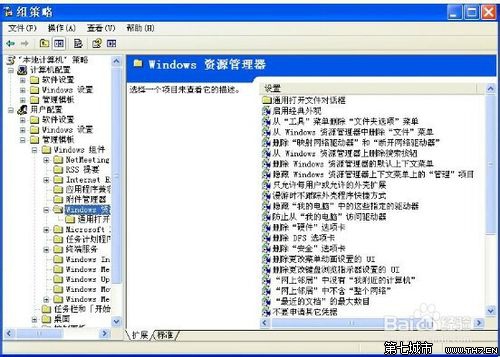
使用者設定 → Windows 元件 → Windows 檔案總管
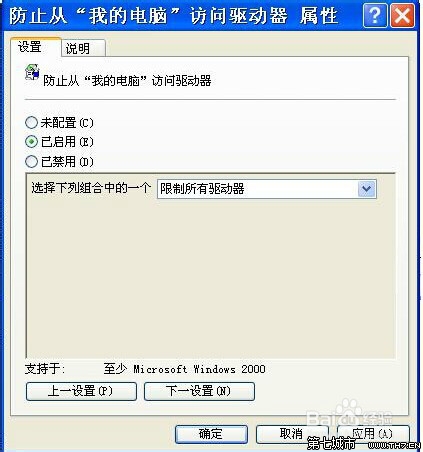
「電腦」/「檔案總管」中不再顯示 C 槽圖示,一般使用者無法誤刪系統檔案。管理員需存取時,可用 Win+R 輸入 C: 或命令提示字元進入。
C:
網咖、教學機房、共用電腦、防止長輩誤刪系統檔。
Windows 7 查看印表機連接埠完整圖文教學
Win7 QQ 語音無法使用?檢查聲卡驅動、錄音裝置靜音、麥克風增益三大排查點
Win7 旗艦版快速更換捷徑與檔案類型圖示技巧
Win7 內建桌布自動輪播設定:無需軟體打造動態桌面
Windows 7 死當、假死五大經典情境與解決方案
不開啟文字檔直接複製內容?Win 7 登錄檔加入右鍵「複製文字內容」選單實戰
Win 7 與 XP/Vista 共用檔案失敗?降低加密等級至 40/56 位元破解互訪障礙
Windows 7 下以 Apache + mod_wsgi 部署 Django 專案完整實戰教學