利用 Windows 7 SDK 中的 ShObjIdl.idl 介面定義,經 midl 編譯為 .tlb,再以 tlbimp 產生 Managed DLL,即可在 .NET 應用程式中呼叫工作列進度條與覆疊圖標 API。
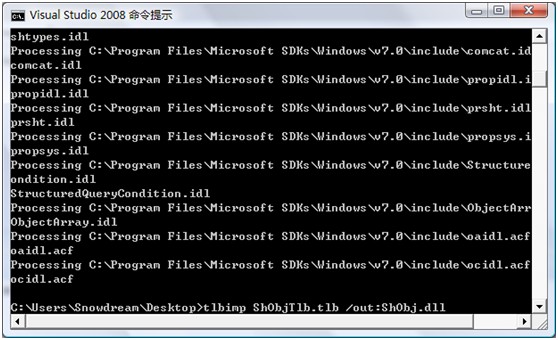
ShObjIdl.idl(SDK 或文後下載)。HWND 參數改為 long 以利 Interop。midl ShObjIdl.idl → ShObjTlb.tlb。tlbimp ShObjTlb.tlb → Managed DLL。TbpFlag(Normal、Paused、Error、Indeterminate)。ITaskbarList3.SetProgressState 與 SetProgressValue 更新工作列按鈕進度。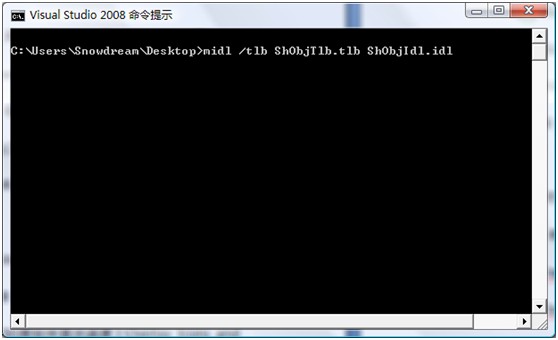


C++ 實作更簡單,參考 SDK 範例:Microsoft SDKs\Windows\v7.0\Samples\winui\Shell\TaskbarIntegration\PeripheralStatus。
掌握此模式可輕鬆整合跳躍清單、縮圖工具列等其他工作列新功能。