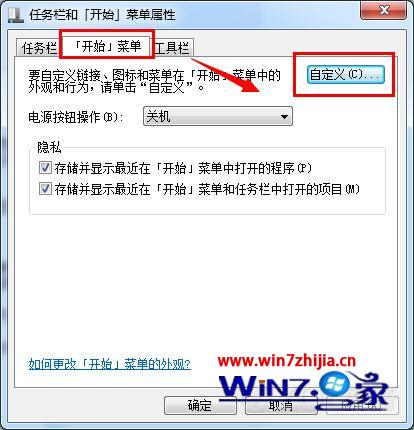
Windows 7 搜尋索引預設包含「開始」功能表、IE 歷史、使用者資料夾、離線檔案等,若資料量龐大會拖慢搜尋。移除不需索引的位置可顯著提升速度:
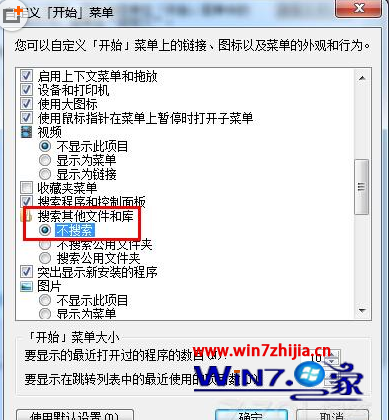

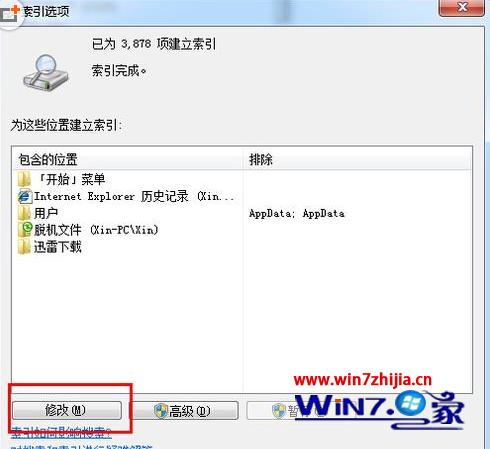
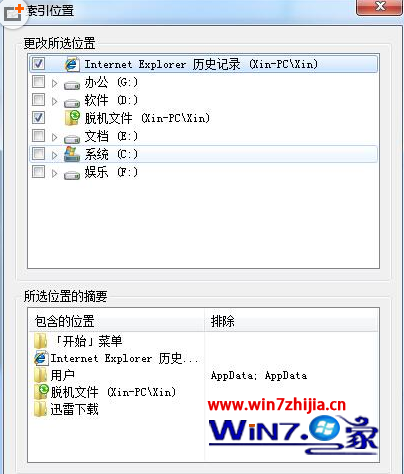
建議保留「開始功能表」與「使用者資料夾\文件」等核心位置,其餘視個人使用習慣裁減。
Win7 輸入法切換失靈急救指南:Word 選項啟用 IME 控制、系統熱鍵自訂、衝突排查
Win7 NVIDIA 顯示卡關閉垂直同步:控制面板 3D 設定逐步圖解
Win7 開始功能表搜尋列不見了?開啟 Windows Search 功能找回
Windows 7 媒體中心播放 RM/RMVB/AVI 等格式:安裝 Win7codecs 解碼包完整教學
Windows 7 RTM 組裝電腦硬體選購指南:CPU 與記憶體是關鍵
重裝 Win7 後 BitLocker 加密磁碟無法開啟?恢復金鑰與管理命令完整指南