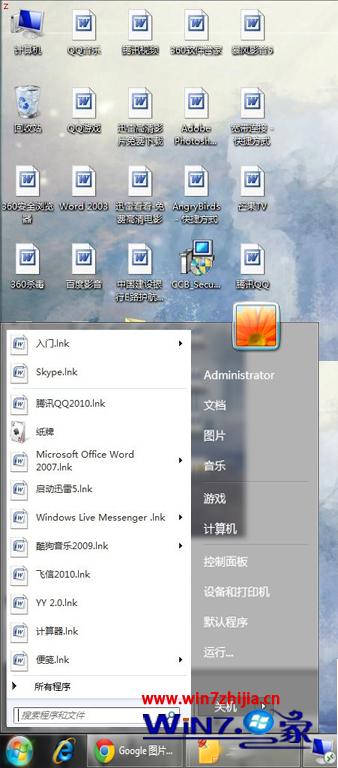
桌面捷徑、開始選單圖示全部變成 Word 文件圖示,雙擊無法正常開啟對應程式。
%appdata%\microsoft\Templates 並按 Enter。Normal.dotm(或 Normal.dot)檔案。explorer.exe 進程(可透過工作管理員結束後重新執行,或直接重新登入/重開機)。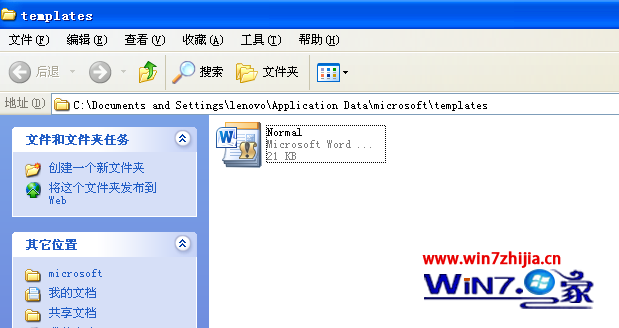
此問題通常因 Word 範本檔損毀導致檔案關聯錯誤,刪除範本檔後系統會自動重建預設範本,圖示即可恢復正常。
Win7 無法建立遠端連線管理服務?啟動 Remote Access Connection Manager 等三項核心服務
Win7 無法啟動?RemoveWAT 繞過 WAT 機制永久啟動方案(風險自負)
Windows 7 快速啟動列去哪了?任務列整合取代,教你找回習慣操作
Win7 移除 IE 搜尋列:群組原則一鍵關閉 Bing 預設搜尋
Win7開啟IIS Internet信息服務教程:Windows功能勾選安裝Web/FTP服務
盯上 Win7 的新型 USB 病毒「資料夾模仿者」:偽裝系統圖示誘導點擊