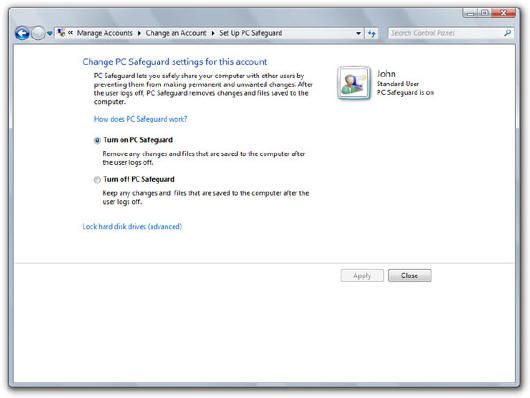
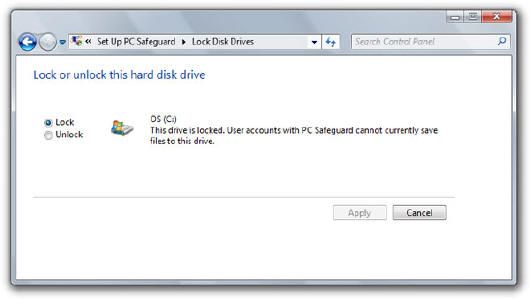
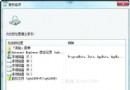
Windows 7 預設內置類似「沙箱」的保護功能,名為「PC Safeguard」。啟用後,系統磁碟將被鎖定為唯讀狀態,所有使用者操作產生的變更將寫入外接磁碟,需要時再導入,有效防止系統被惡意軟體或誤操作破壞。
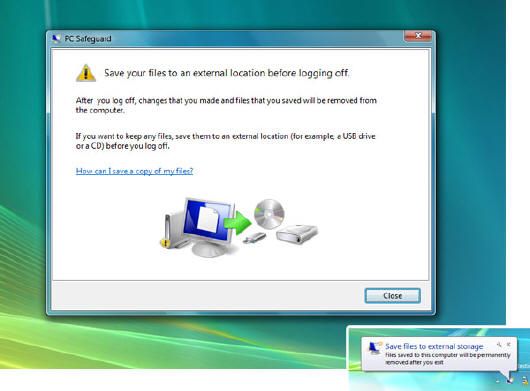
在「使用者帳戶」功能中開啟「PC Safeguard」,系統需約 5 分鐘準備。隨後可選擇鎖定系統盤,無任何風險。進入沙箱模式時,系統會提示備份資料至行動磁碟。此功能特別適合公用電腦、測試環境或臨時使用場景,提供類似防毒軟體的系統級防護。
Win7 打造個人化桌面背景:內建圖片、自訂圖片、幻燈片輪播全攻略
Windows 7 家庭群組建立與跨電腦檔案共享完整教學
Windows 7 工作排程器:彈性自動化執行程式與事件觸發
2009 微軟十大事件回顧:Windows 7 上市居首,首度大規模裁員次之
Windows 7 六大版本功能詳細對比:入門版到旗艦版完整差異表、選購指南
Win 7 連路由器顯示「網路存取受限」黃色驚嘆號?組態原則一招解決
Win7 系統保留分區(100MB/200MB)能否刪除?深度解析
Win7 資料夾搜尋功能失效怎麼辦?啟用 Windows Search 服務即可