Windows XP Windows 7 Windows 2003 Windows Vista Windows 綜合教學 Linux 系統教學
Windows 10 Windows 8 Windows 2008 Windows NT Windows Server 電腦軟體教學

Win7 系統批量修改檔案與資料夾權限的兩種實用方法

編輯:Windows 7 系統介紹

方法一:使用 icacls 指令(適合進階使用者)

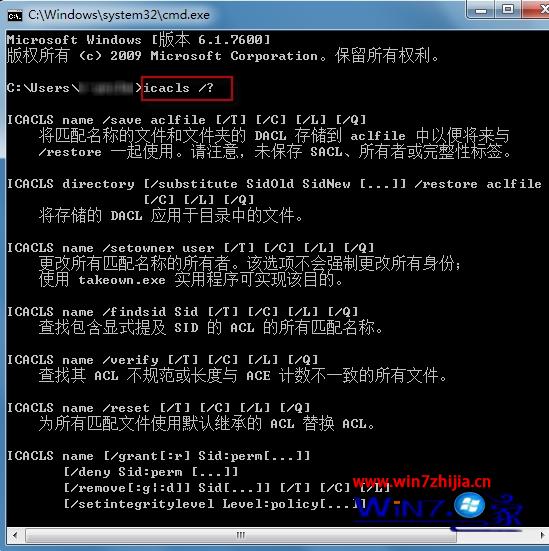
以系統管理員身分開啟命令提示字元,使用 icacls 指令可批量修改權限並支援備份/還原。

常用指令範例

  • icacls c:\windows\* /save AclFile /T — 備份 Windows 目錄下所有檔案 ACL
  • icacls file /grant Administrator:(D,WDAC) — 授予管理員刪除與寫入 DAC 權限
  • icacls c:\windows /restore AclFile — 還原 ACL 設定

更多參數請輸入 icacls /? 查詢。

方法二:利用權限繼承特性(適合一般使用者)

  1. 建立新資料夾,將需修改權限的檔案/資料夾移入其中。
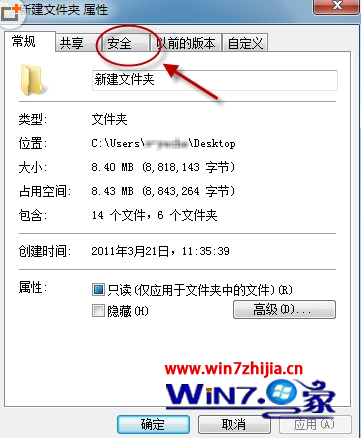
  2. 右鍵新資料夾 →「屬性」→「安全性」索引標籤,進行權限變更。
  3. 修改完成後,子項目會自動繼承新權限,再將檔案移回原位置即可。

兩種方法各有優劣,指令法功能強大適合自動化腳本;繼承法操作直觀,適合一次性批量調整。

Copyright © Windows教程網 All Rights Reserved