Win7 內建 Windows Media Center (WMC) 若不使用,可透過組策略禁用釋放系統資源。操作簡單三步驟即可完成。
關閉步驟
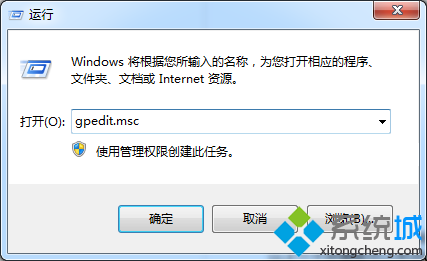
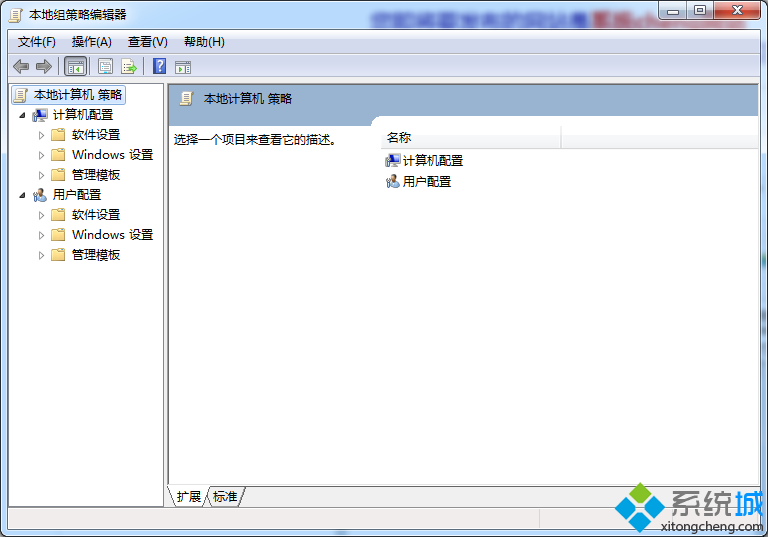
1. Win + R → gpedit.msc 開啟本機群組原則編輯器。
2. 依序展開:
電腦設定 → 系統管理範本 → Windows 元件 → Windows Media Center
3. 雙擊右側 「不允許執行 Windows Media Center」 → 選擇 「已啟用」 → 「確定」儲存關閉。
效果說明
- WMC 相關背景服務 (如
ehRecvr.exe, ehSched.exe) 不再啟動,釋放記憶體與 CPU 資源。
- 開始選單中 WMC 捷徑隱藏,關聯檔案類型不再由 WMP 開啟。
- 若需恢復,將該設定改為「未設定」或「已停用」即可。