Windows XP Windows 7 Windows 2003 Windows Vista Windows 綜合教學 Linux 系統教學
Windows 10 Windows 8 Windows 2008 Windows NT Windows Server 電腦軟體教學

Windows 7 32位純淨版 Win+E 快速鍵失效無法開啟總管?註冊表修正 DelegateExecute 修復

編輯:Windows 7 系統介紹

Windows 7 Win+E 無法開啟檔案總管,註冊表 DelegateExecute 值遺失或錯誤:

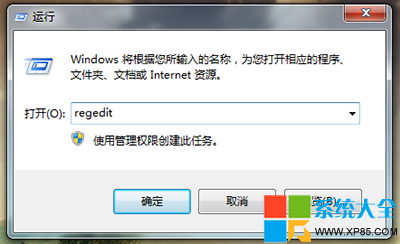
  1. Win+R 輸入 regedit 開啟登錄編輯器。
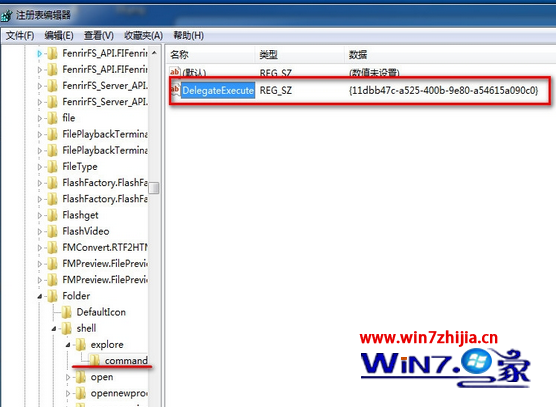
  2. 定位至:
    HKEY_CLASSES_ROOT\Folder\shell\explore\command
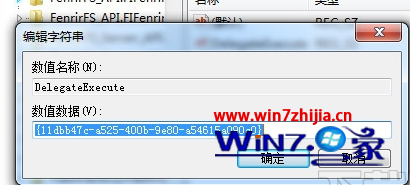
  3. 點選 command,右側雙擊 DelegateExecute,確認數值資料為:
    {11dbb47c-a525-400b-9e80-a54615a090c0}
  4. 若不符,修改為上述 GUID,按「確定」儲存,重新登入或重啟 explorer.exe 生效。

此 GUID 為 Windows 7 檔案總管啟動委派的標準識別碼,遺失時導致 Win+E 失效。

Copyright © Windows教程網 All Rights Reserved