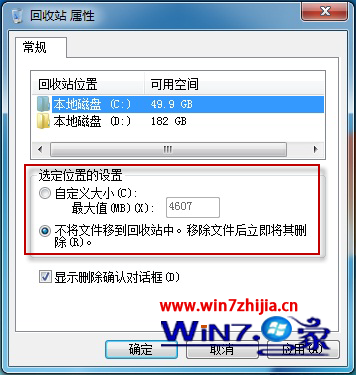
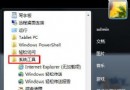
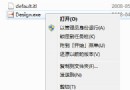
Windows 7 刪除檔案直接消失不進資源回收筒,原因:資源回收筒屬性設為「不將檔案移至資源回收筒,移除檔案後立即刪除」。
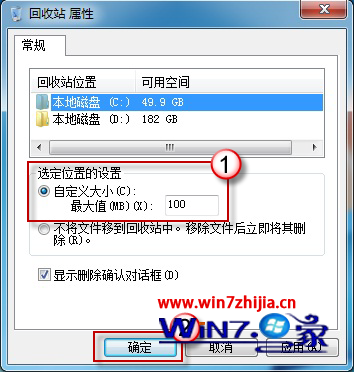
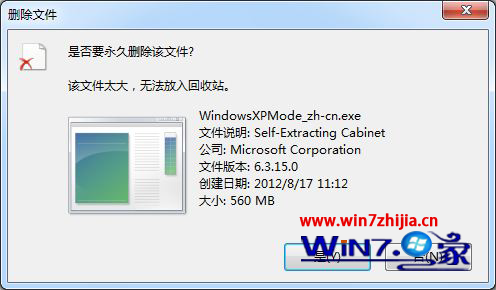
預設容量過小 (如 100MB) 易導致大檔案無法進入資源回收筒,建議依硬碟容量比例設定。
期待 Windows 8:改善 Windows 7 遺留的 10 大缺憾
Win7 關閉雙硬碟自動睡眠:防止存取延遲
Microsoft DaRT 6.5 系統急救盤製作與實戰:重設密碼、修復啟動、清除惡意碼、還原刪除檔案
三種方法將資源回收筒釘選到 Windows 7 工作列
四步驟快速移除 Windows 7 SP1 服務包
Windows 7 刪除搜尋記錄關鍵字:隱私保護小技巧
關閉 Win7 任務列視訊縮圖預覽降低資源佔用:登錄檔修改與資料夾選項設定
Win7 剪貼簿無法播放/錄音?麥克風無聲音完整排查:驅動更新、錄製裝置設定、屬性微調三部曲