透過登錄檔關閉拖曳視窗至螢幕邊緣自動最大化/對半排列的 Aero Snap 功能,適用所有 Win7 版本(含家用版)。
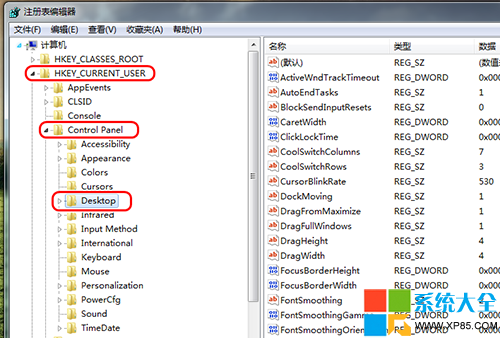
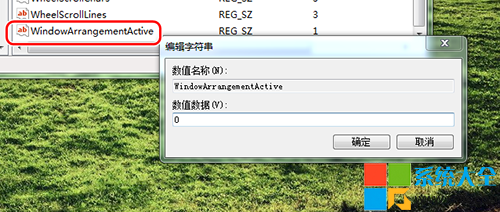
regeditHKEY_CURRENT_USER\Control Panel\DesktopWindowArrangementActive(無則新增 DWORD 值)0 → 確定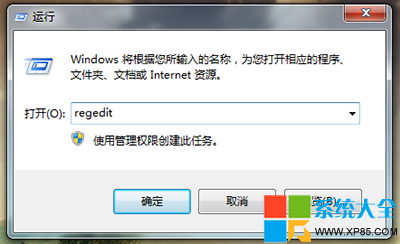
| 方法 | 適用版本 | 難度 | 持久性 |
|---|---|---|---|
| 群組原則 | 專業/旗艦/企業版 | 低 | 高(受原則管理) |
| 登錄檔 | 所有版本 | 低 | 高 |
| 輕鬆存取中心 | 所有版本 | 最低 | 中(可能被優化工具重置) |
登錄檔法通用性最佳,建議優先採用。