Win7 專業版/旗艦版/企業版可透過群組原則鎖定 IE 工具列,防止使用者誤拖移、隱藏工具列。
gpedit.msc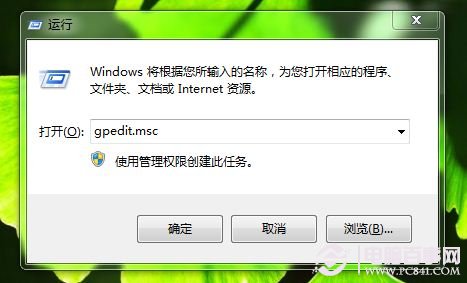
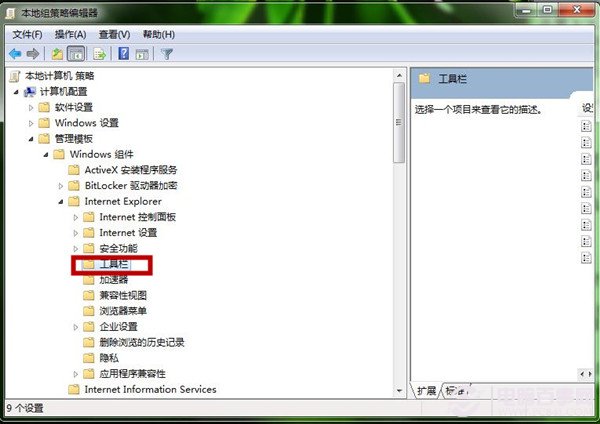
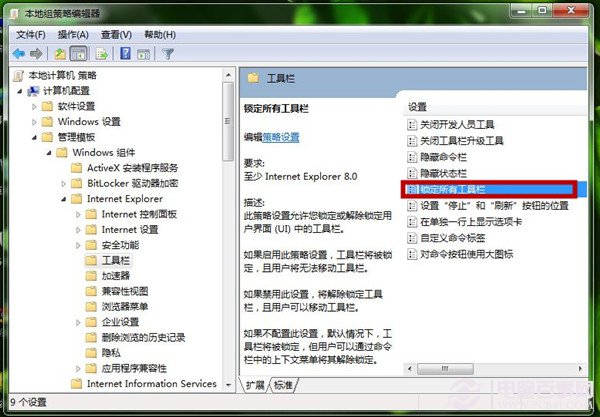
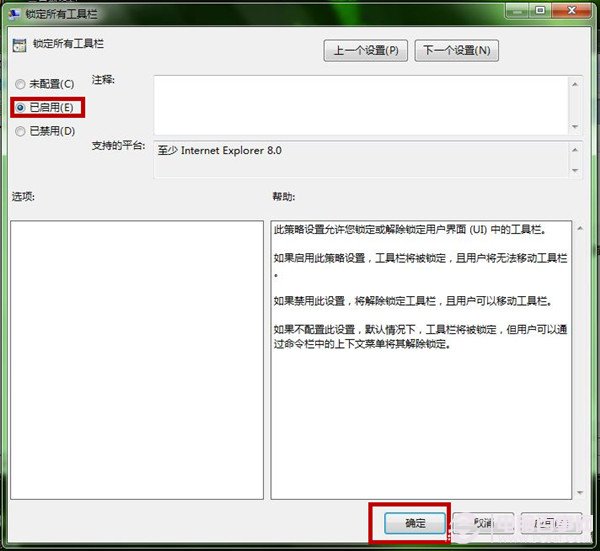
HKEY_CURRENT_USER\Software\Policies\Microsoft\Internet Explorer\Toolbars\Locked = 1群組原則集中管控 IE 介面配置,維持標準化操作環境。
Win7 系統開啟軟體提示「找不到 Msvcp50.dll」完整解決教學
Win7 印表機共享完整圖解:啟用 Guest 帳號與設定共享權限
Win7 虛擬記憶體設定三大迷思:不必移到非系統碟、非 1.5 倍、越大越好
Win7 C 槽 winsxs 資料夾能刪除嗎?絕對不能!核心元件存放區刪除將導致系統崩潰
Win7 群組原則限制僅允許特定 USB 隨身碟:硬體 ID 白名單機制
Win7 安裝 Flash 提示「憑證驗證失敗」?刪除 IE 不受信任發行者中的 Adobe 憑證即解
Windows 7 五大常見故障與解決方案:系統錯誤記錄、DVD 音訊、Movie Maker、XP Mode、媒體中心自動播放