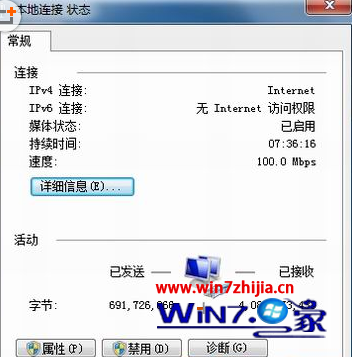
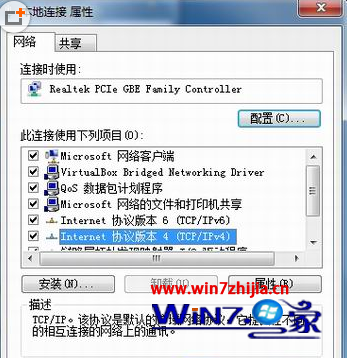
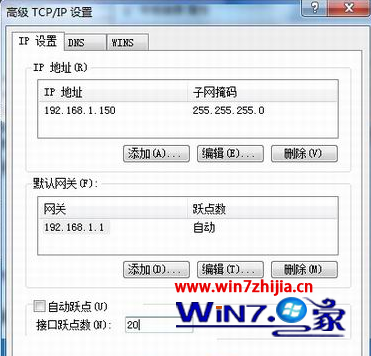
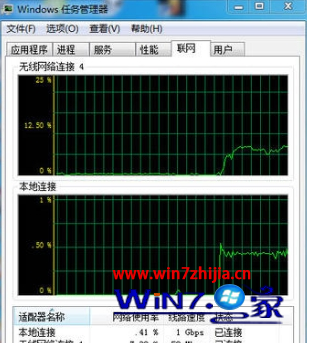
Windows 依據躍點數決定路由優先序,數值越小優先度越高。設定不同躍點數讓兩張網卡各自處理不同目的地流量,達成同時上網(如一張連內網、一張連外網)。
Win7 網路斷斷續續、顯示「無網路存取」?手動設定靜態 IP 解決 DHCP 問題
Win7 不斷重開機修復無效?進階啟動修復、系統還原、重灌三步驟救援
Windows 7 VHD 虛擬硬碟特色:單一檔案、秒級還原、近原生效能
電腦公司 Win7 使用 QQ 螢幕擷圖馬賽克功能保護隱私
Win7 使用者是否有必要升級 Windows 9?優缺點分析與建議
Windows 7 安裝提示「無法建立新的系統分區」?一鍵修復啟動即可
Windows 7 搜尋功能全攻略:瞬間找到檔案的秘訣
Win 7 預裝版 AppLocker 功能:企業管控軟體的利器