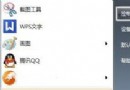
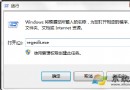
Windows 7 預設保護系統檔案,直接雙擊 C:\Windows\System32\drivers\etc\hosts 用記事本開啟會發現無法儲存(提示權限不足)。
C:\Windows\System32\drivers\etc\hosts
C:\Windows\System32\drivers\etc
hosts
原理:管理員權限繞過 UAC 對系統目錄的寫入限制。同樣適用於其他受保護系統檔案編輯。
Win7 善用 AppLocker 控制原則隔離病毒木馬:建立拒絕執行規則
Win7 開機彈出 igfxsrvc.exe 錯誤?刪除登錄檔右鍵選單項目修復
Win7 「電腦管理」無法開啟?匯入登錄表修復 MMC 主控台關聯
Win7 無法將程式釘選到工作列?群組原則啟用釘選功能教學
Win7 睡眠後無法喚醒?三階檢查:硬體支援、喚醒裝置、電源管理設定
Win7 開機半小時 CPU 100%?360tray.exe 與 Svchost.exe 佔用高排查步驟
Windows 7 完整安裝流程圖文詳解 (含 Beta 7000 版本細節)
Win7 安裝印表機完整圖文教學:從硬體連線到驅動程式設定