Windows XP Windows 7 Windows 2003 Windows Vista Windows 綜合教學 Linux 系統教學
Windows 10 Windows 8 Windows 2008 Windows NT Windows Server 電腦軟體教學

Win7 開機黑屏怎麼辦?註冊表檢查惡意程式 tlntsvi.exe 解決開機黑屏

編輯:Windows 7 系統介紹

Win7 開機進入桌面前黑屏、只有滑鼠游標?常見原因:惡意程式掛載在登錄 Shell 鍵值,導致 explorer.exe 攜帶惡意載入而黑屏。檢查註冊表移除惡意字串即可恢復。

修復步驟

  1. Win + R → regedit 開啟登錄編輯器。
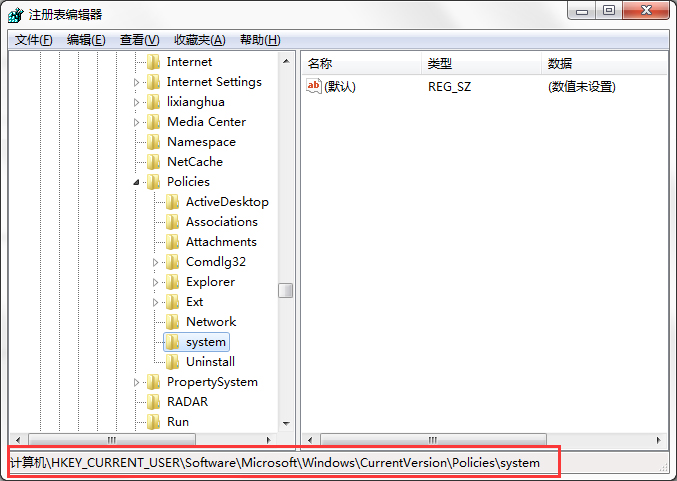
  2. 2. 展開至:
    HKEY_CURRENT_USER\Software\Microsoft\Windows\CurrentVersion\Policies\System 3. 右側檢查 Shell 值,正常應為:
    explorer.exe
    若發現類似:
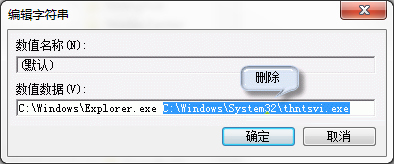
    explorer.exe C:\Windows\system32\tlntsvi.exe
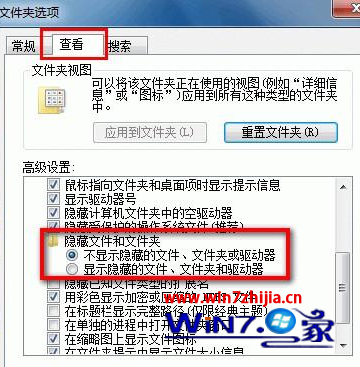
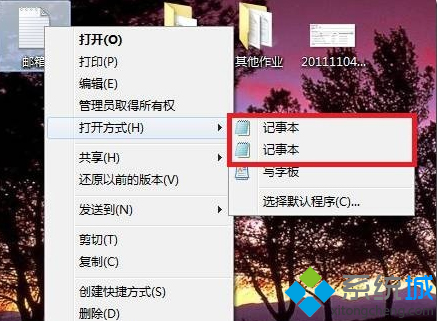
    即為惡意程式 tlntsvi.exe 掛載導致黑屏。 4. 雙擊 Shell → 刪除 C:\Windows\system32\tlntsvi.exe 部分,僅保留 explorer.exe → 確定。 5. 同步檢查 HKEY_LOCAL_MACHINE 同路徑下的 Shell 值。 6. 刪除實體檔案 C:\Windows\System32\tlntsvi.exe (若存在)。 7. 重新啟動電腦,黑屏問題解決。
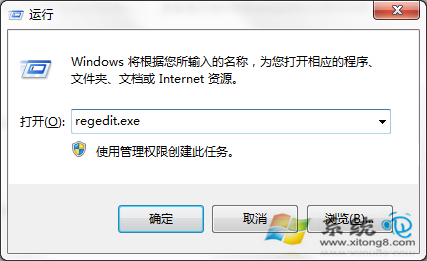
開啟登錄編輯器

註冊表路徑展開

Shell 值移除惡意字串

其他黑屏原因快速排查

  • 顯卡驅動:安全模式解除安裝顯卡驅動 → 重裝最新版。
  • BIOS 版本過舊:官網下載最新 BIOS 更新。
  • 系統檔案損壞:PE 下 sfc /scannow / chkdsk /r。
  • 硬體故障:記憶體/顯卡/螢幕/連接線 — 交叉測試。

預防建議

  • 安裝正版防毒軟體、啟用即時防護。
  • 避免執行來源不明的破解/修改工具。
  • 定期備份註冊表關鍵分支 (匯出 .reg 檔)。

註冊表 Shell 鍵值掛載惡意程式是 Win7 開機黑屏高發原因,移除字串即刻恢復正常桌面。

Copyright © Windows教程網 All Rights Reserved