Windows XP Windows 7 Windows 2003 Windows Vista Windows 綜合教學 Linux 系統教學
Windows 10 Windows 8 Windows 2008 Windows NT Windows Server 電腦軟體教學

Win7 啟動項找不到 ctfmon.exe?註冊表指令一鍵恢復輸入法支援

編輯:Windows 7 系統介紹

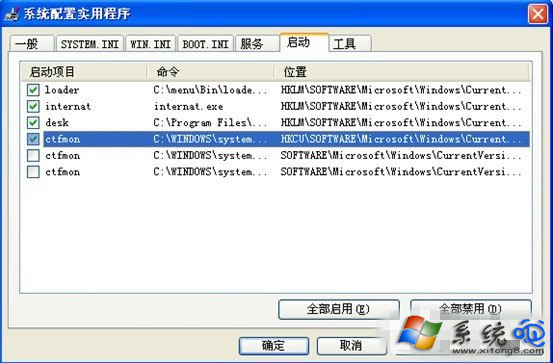
ctfmon.exe 為輸入法/文字服務核心進程,啟動項缺失會導致無法切換輸入法、語言列消失。透過註冊表指令重新加入啟動項即可修復。

一鍵恢復指令

  1. Win+R → cmd 開啟命令提示字元。
  2. 複製貼上以下指令並按 Enter:
    reg add "HKCU\Software\Microsoft\Windows\CurrentVersion\Run" /v ctfmon /t REG_SZ /d "C:\Windows\System32\ctfmon.exe" /f
  3. 重新啟動電腦,語言列與輸入法切換恢復正常。

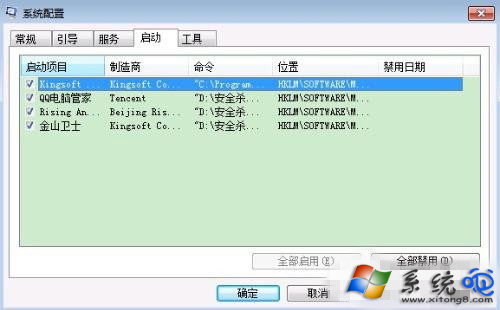
ctfmon.exe 相關介面

CMD 執行註冊表指令

指令解析

  • HKCU = HKEY_CURRENT_USER,僅對當前使用者生效。
  • /v ctfmon 設定值名稱。
  • /t REG_SZ 字串類型。
  • /d 指定執行路徑(系統預設路徑)。
  • /f 強制覆蓋不提示。

替代檢查

  • 確認 C:\Windows\System32\ctfmon.exe 實體檔案存在(若遺失需從安裝媒體提取或 sfc /scannow 修復)。
  • 檢查「文字服務與輸入語言」設定:控制台 → 區域和語言 → 鍵盤和語言 → 更換鍵盤 → 確認已安裝所需輸入法。

一行指令搞定輸入法核心進程缺失,免去繁瑣手動編輯。

Copyright © Windows教程網 All Rights Reserved