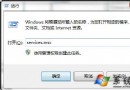
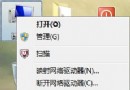
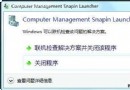
修改使用者權限/優化後,Windows Event Log 服務手動啟動失敗報 4201。網上多為 Vista 時代方案 (刪檔、安全模式) 對 Win7 不一定有效。實測有效簡單法:
Windows Event Log
C:\Windows\System32\LogFiles\Wmi\RtBackup
SYSTEM
此法**不刪除系統檔、不進安全模式、僅調整權限**,簡單有效經實測驗證。
Windows 7 測試者必讀:給 Beta 測試人員的 5 項關鍵建議
Windows 7 設定支付寶與數位憑證完整指南:IE8 記憶體保護、受保護模式、UAC 等級、xenroll.dll 註冊
Windows 7 Word 文件另存為 PDF 格式教學:安裝 Microsoft 官方「另存為 PDF 或 XPS」增益集
Windows 7 搜尋技巧大全:9 大進階用法讓找檔案事半功倍
蘋果高管批評 Windows 7 缺乏新意、難用且昂貴
Windows 7 建立無線臨時網路 (Ad-hoc) 讓手機/平板共享上網
Win7 回收站圖示不見了?控制台個人化設定一鍵找回
Win 7 中 Win+E 快捷鍵失效?一鍵修復註冊表檔下載